







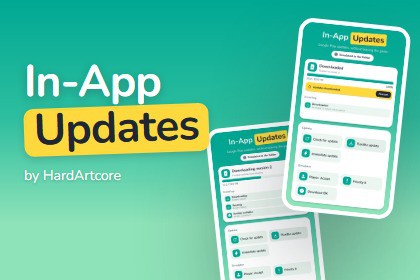
Ask Android players to update without ever leaving your game.In-App Updates wraps Google's official Play In-App Updates plugin in a component you drop into your first scene. On launch it asks Google Play for a newer version, picks a Flexible update (a background download while the player keeps playing) or an Immediate one (full screen, for the releases that can't wait) with a simple policy, and raises UnityEvents for your UI. Prefer code? A small static API gives you the same flows with C# events.The part you will like most: a simulator plays Google Play's side in the Editor. Test the update dialog, the download progress, declines, failed downloads and resuming after a restart in Play Mode, without uploading a single build.UPDATES• Flexible updates: download in the background, then ask the player to restart (or install automatically)• Immediate updates: Google Play's full-screen flow that blocks until the update is installed• Checks on start and when the app returns to the foreground• Resumes an update interrupted by an app restart, as Google requires• Finds Flexible downloads that finished while the game was in the backgroundUPDATE POLICY• Urgent releases go Immediate by priority (default: 4 and up) or by how many days Google Play has known about them• Everything else stays Flexible; the policy never turns a non-urgent update into a blocking one• Falls back to the other mode when Google Play doesn't allow one• Doesn't nag: after a Flexible decline it waits a few days (default 3) before offering it again• Offers an update once per session, even when scenes reloadEDITOR SIMULATOR• Every call goes to a simulator in the Editor: no Play Store upload, no device• A stand-in Play dialog in the Game view, or a simulated player who always accepts or declines• Set availability, version code, priority, staleness and the allowed modes• Simulate failed checks, failed downloads, network delay, download time and size• Live state and test buttons in the Inspector while playing; settings change live• Optional: run the simulator in Development builds on a device to test your UISETUP• One click in the Inspector downloads Google's official packages and adds them to your project• Works with Google's .unitypackage too• iOS and other platforms: every call is a safe no-op, so the same code ships everywhereDEMO• One scene: status, download progress, a restart prompt and a live event log• Tiles to check, start Flexible or Immediate updates, and change the simulated player's answer, the priority and download failures• Portrait and landscapeFOR PROGRAMMERS• Static InAppUpdate API: Check, StartUpdate, CompleteUpdate, with CheckCompleted, StateChanged, Declined and Failed events• Every event on Unity's main thread• Full C# source in assembly definitions, with automated tests of the policy and the simulator flows• Works with Enter Play Mode Options (domain reload off)REQUIREMENTS• Unity 6 or newer, with Android Build Support for device builds• Google Play In-App Updates (com.google.play.appupdate 1.8.0+), installed from the Inspector• Real updates appear only for an app installed from Google Play (internal testing tracks and internal app sharing work)THIRD-PARTYIncludes the Nunito font (SIL Open Font License 1.1) and Material Symbols icons (Apache License 2.0) in the demo. Google's Play In-App Updates plugin is not included; it is downloaded from Google. See the Third-party notices in the package's Documentation.html.Support: support@hardartcore.com

