







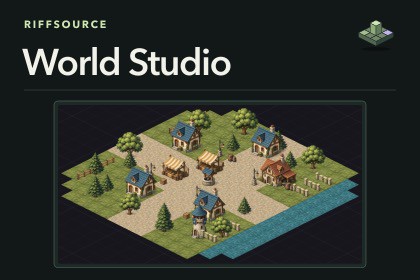
Build 2D, isometric and 3D worlds with your own assets, in one Unity Editor workspace.RIFFSOURCE World Studio combines asset organization, world building, review and export. Bring your own sprites, models and prefabs, organize them into a reusable library, and build layouts with consistent tools.Guided setup and a simple workspace help you get started. Switch to expert controls when you need more precision, detailed placement rules or advanced workflows. Both modes use the same world data.Give your asset library a clear structure. Browse expandable categories and subcategories, switch between list and tile views, and find assets through names, tags, favorites and saved collections. Local import rules suggest readable names and categories from filenames and folders. Review those suggestions before applying them, while preserving existing asset identities and manually assigned metadata.Build with tools you can reuse. Place, paint, select, move, rotate and scale assets using grid-aware controls. Work with point, area and round brushes, flood fill, the eyedropper, weighted variants and reusable stamps. Save complete brush and precision settings as presets. Use linked assemblies for repeated structures, and organize your world with layers, groups, named selections and camera bookmarks.The Hand tool makes map navigation straightforward with a mouse or trackpad. Pan with a normal drag, right-button drag or Space-drag, then return to building.Review changes before applying them. Preview replacements and selective restoration, inspect affected objects and decide what to keep. Built-in world checks provide actionable findings and local reports. Undo and Redo support editing, while explicit saving, named snapshots and validated JSON recovery give you clear control over saved states.Choose the output that fits your project. Create game prefabs, geometry prefabs without World Studio components, compatible Tilemaps or reusable world sections. Runtime section streaming supports spatial selection, pooling and controlled loading queues. Portable kits let you transfer assets, stamps, templates and brush presets between projects.Adapt the workflow to your project. Use World Studio for top-down maps, isometric environments, modular levels, interiors and other layouts built from reusable assets. Editable C# source is included, with separate core data, Editor tools, runtime output and optional provider helpers.The interface supports English, German, French and Spanish, with adjustable text sizes, high-contrast options and configurable shortcuts. English documentation, translated quick starts and simple geometric sample assets are included.Core authoring works offline. Bring your own production artwork and gameplay assets; the included geometric examples provide a starting point for learning and testing.Import supports common image formats and FBX/OBJ model bundles. glTF/GLB requires a compatible importer or prior conversion. Materials retain the requirements of your project’s render pipeline. Optional integrations require their documented compatible dependencies and configuration.The verified configuration is Unity 6000.5.9f1 on macOS, using Metal and the Built-in Render Pipeline. Other Editor versions, platforms, render pipelines and optional SDK configurations require separate compatibility checks.

