







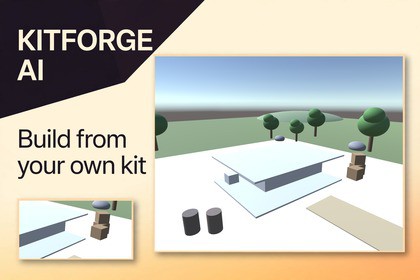
KitForge AI — Build Structures from Your Own Modular Kit
Decnet Games
$43.45
$86.90
50%OFF
(no ratings)
Jump AssetStore
Stop Placing Pieces by Hand. Build the Whole Structure at Once.JOIN DISCORD | DOCUMENTATION | OTHER ASSETSEver noticed how one small outpost can eat an entire afternoon — even when you already own every piece of it?In default Unity, a modular kit only hands you pieces. Every wall, corner, door and roof still goes in by hand, one prefab at a time — drag it in, snap it, rotate it, check it against the grid — so a single small building costs hours of pure repetition. The twentieth building costs exactly as much manual work as the first, and when the layout changes, you start placing all over again.KitForge AI solves all of this out of the box. Point it at the modular kit you already own, draw or describe the plan, and it assembles the whole structure on your kit's own grid — every piece a native prefab instance you can select, move, and keep editing by hand.It starts by measuring and classifying your kit for you: wall, door wall, window wall, corner, floor, roof, door leaf, prop — every call yours to override. Then the assembly engine places perimeter walls, corners, door and window pieces at the marked edges, stacks floors for multi-storey structures, closes the top with a flat or pitched roof, and dresses the rooms inside from your kit's own props. If a piece is missing, the structure still builds and the skip is reported by name — and the whole build lands as a single Undo step.🌟 8 POWERHOUSE FEATURES1. Kit Profiler — Your Kit, Measured and ClassifiedPoint KitForge AI at a folder of kit prefabs and it measures each piece, detects the grid, and classifies every piece's role — wall, door wall, window wall, corner, floor, roof, door leaf, prop — saved as a Kit Profile asset. Every classification is yours to override, and re-profiling keeps your overrides. Naming presets ship for common modular-kit naming conventions, including POLYGON-style names, so an existing kit profiles cleanly instead of demanding a renaming pass.2. The Assembly Engine — Walls, Corners, Doors, Roofs, DoneThe assembly engine places perimeter walls, corners, door and window pieces at the marked edges, and floor slabs on the kit grid, all with correct rotations. Add floors for multi-storey structures and close the top with a flat or pitched roof when your kit provides the pieces. If a piece is missing from your kit, the structure still builds and the skip is reported — a wrong piece is never quietly substituted in its place.3. Plan Canvas — Draw the BuildingThe Plan Canvas is a top-down grid surface where you make the plan by drawing it: drag rectangles for rooms, click edges to mark doors and windows, and set floors, roof, and room roles directly on the plan. What you draw is what gets built, and the window shows the plan summary in plain language — footprint, floors, doors, windows, and roof — before a single piece is placed.4. Describe It — Type the Plan in Plain TextPrefer words to drawing? Type a short structured description — for example: outpost 8x6, door south, windows east, flat roof — into the Parse Description field. The text-plan parser is a local, documented grammar that runs entirely on your machine: no network calls, no external service. And when a description cannot be read, a failed parse names the exact token that failed instead of shrugging.5. One Plan Model — Canvas, Text, and JSON AgreeEvery input path produces the same plan object. Plans are data in a documented JSON format (kitforge-plan v1) that you, the canvas, or any external tool can author, save, and re-use. Draw one building, describe the next, generate a third from your own tooling — they all build through the same model, with the same plain-language summary shown before you commit.6. Interior Dressing — Rooms Furnished From Your Own KitA shell is only half a building. Rooms receive props from your kit's own Prop-classified pieces, placed by room role — storage favours crates, living favours a table and bunk — at a density you choose. Re-dressing replaces only the interior and leaves the shell untouched, so you can re-roll the furnishing of a finished structure without rebuilding a single wall.7. Deterministic, Honest, One UndoSame kit profile, same plan, same seed: the identical structure, every time — builds you can reproduce, diff, and trust. A piece whose footprint does not fit the detected grid is reported by name with its measured size and excluded by default, never silently scaled, stretched, or force-fitted. And a whole build is a single Undo step: generation writes only into the structure root it creates, and your kit prefabs are never edited.8. Public C# API and Agent GuideThe whole workflow is drivable from code through a public C# API in the DecnetGames.KitForgeAI namespace: KitForge.ProfileKit, KitForge.LoadPlan, KitForge.ParseTextPlan, KitForge.Build, and KitForge.ReDress. Every method returns a structured result object and never throws across the public boundary — a failure comes back with the problem and the fixing action named. The shipped Agent Guide shows exactly how an AI coding agent drives KitForge AI: write a plan JSON, call the API, read the result.📦 WHAT'S IN THE BOX?• KitForge AI Home: One Editor window — Welcome with one-click setup and a next-step card, plus Kit, Plan and Build sections — at Tools > Decnet Games > KitForge AI.• Kit Profiler: Grid detection, per-piece role classification, overridable roles that survive re-profiling, and naming presets for common kit conventions.• Assembly Engine: Perimeter walls, corners, doors, windows, floor slabs, multi-storey stacking, flat and pitched roofs, and interior dressing by room role and density.• Three Plan Inputs, One Plan Model: Plan Canvas, the local text-plan grammar, and the documented kitforge-plan v1 JSON format.• Fixture Kit: A complete 11-piece modular snap kit on a 2 m grid — walls, door and window pieces, a corner, a floor slab, flat and pitched roof pieces, a door leaf, and crate, table and bunk props.• Sample Outpost: Plan JSON, text plan and scene — generate your first standing structure from shipped materials.• Public C# API plus API Example: The full workflow from code, with structured result objects, plus a ready API Example sample.• Documentation Set: Quick-start, kit profiling, plan JSON format, text-plan grammar, agent guide, API reference, and an honest "what v1 is not" — all offline, inside the package.• 35 EditMode Tests (NUnit): Green on Unity 2022.3 LTS and Unity 6.👥 BUILT FOR EVERY ROLE IN YOUR STUDIO• Level Designers: Assemble whole structures from the kit you already own instead of placing pieces one at a time — then keep editing every placed piece by hand, exactly as if you had placed it yourself.• Game Designers: Test layouts at the speed of an idea — draw or describe a plan, rebuild with a different seed or interior density, and walk through standing structures instead of imagining floor plans.• Programmers: Drive the entire workflow from the public C# API and the documented plan JSON — the same calls the window makes — with structured results that name the problem and the fixing action.💡 INTEGRATION TIPS & SCOPE• First Run: Open Tools > Decnet Games > KitForge AI, run Setup from the welcome screen, profile the included Fixture Kit in one click, load the Sample Outpost plan, and press Build Structure — a standing outpost with a dressed interior, and a build report that names anything skipped, with the reason.• Your Kit: A kit is a folder of prefabs. Loose meshes or FBX files without prefabs are not supported, and a piece that does not fit the detected grid is reported and excluded rather than force-fitted.• Scope: Generation is an Editor-time tool; there is no runtime (in-game) generation in v1. Structures build on a flat base at the root's position — no terrain conforming — and footprints are grid rectangles: rooms can combine into L and T shapes, but there are no diagonal or curved walls. Interior dressing uses your kit's own Prop pieces only.• Compatibility: Unity 2022.3 LTS and Unity 6 (verified on 6000.5.4f1), for Windows and macOS projects. Render-pipeline agnostic — KitForge AI instances your own prefabs and ships no shaders of its own, and generated structures are ordinary prefab instances that work in your builds like anything you placed by hand. Fully offline: no network calls and no external service.

