







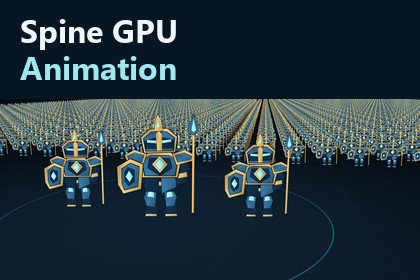
Bake once. Animate on the GPU.Bring repeated 2D character animations into your Unity scenes with shared GPU resources and independent playback control. Spine GPU Animation bakes compatible Spine clips offline, then lets you choose individual GPU Players or a handle-based GPU Crowd.Choose the playback model that fits your sceneGPU Player keeps a GameObject per player for direct scene integration. GPU Crowd shares a mesh, material and bone texture across instances without requiring a GameObject for every character. Each player or Crowd instance can have its own clip, playback time, speed, looping and pause state.Check → Bake → PlayChoose a fixed skin and the animations you need. Check the input for unsupported features and review the bone-texture payload estimate. Bake and save a reusable animation resource, then create a player directly from the bake window or add instances through the Crowd API.Start with a working exampleImport the package and open the original 256-instance procedural Crowd scene. Pause the first robot, change its animation and move it with the included controls—no Spine installation is required. For conversion practice, a separate original Spine 4.3-format robot JSON/atlas/PNG input is included. This program-authored input is not a Spine Editor export and does not include a .spine project.What is includedCore GPU Player and public Crowd API; Built-in/URP Unlit shaders; resource validation; Editor input checking and baking; visible offline documentation; the original procedural Crowd scene and baked resource; original conversion input; and three separate, mutually exclusive optional version adapters.Conversion requirementsConversion requires a separately obtained matching official spine-unity Runtime and applicable Spine license. Choose one matching pair: 4.1 Runtime + 4.1 adapter, 4.2 + 4.2, or 4.3 + 4.3. Install only one pair per project and satisfy the official Runtime’s own prerequisites, including UGUI where required. The core runtime plays already baked resources without Spine APIs. Spine Editor, official Runtime and character artwork shown in promotional media are not included.Know the supported scopeCurrent conversion uses a fixed skin/attachment configuration, one atlas texture/material, normal blending and at most four bone influences per vertex. No runtime skin switching, event replay, animation blending or transitions. Animated attachment changes, slot-color animation, draw order, deform, clipping, physics, two-color tint, sequences and other blending modes are outside scope. Matrix interpolation between baked samples approximates poses. Crowd transparency is sorted by batch; use separated layouts and verify actual overlap in your scene.Documentation & supportThe package includes setup and conversion instructions, Player/Crowd API guidance and compatibility notes. Contact zhangluohan2016@gmail.com with your Unity, pipeline/renderer, tool and Spine export/Runtime versions, diagnostic output and reproduction steps.

