






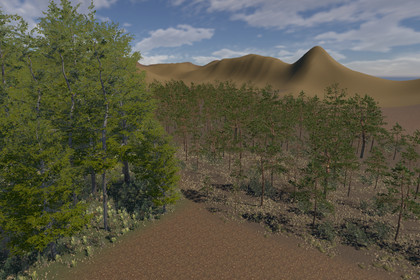
Forest Biome Painter turns planting a forest from hours of brushing into a few clicks. Draw a zone on your terrain, pick a biome and press Generate. Don't like the shape? Drag a point and the forest rebuilds to follow it.The tool places standard Unity terrain trees and details. Nothing extra runs in your game: the result stays a regular terrain, and the tool itself is not included in builds.Features:Zones of any shape. Draw a polygon with clicks in the Scene View, add and remove points.Live editing. Drag a point: trees, grass and ground update instantly while density stays the same.Biomes. Trees, bushes, props and grass in one set: spawn chance, size, spacing, max slope, clusters.Presets. Save a biome to an asset and reuse it in any scene or project.Grass. A biome plants grass and small details together with the forest.Ground painting. A biome paints a terrain layer under the forest with a soft, irregular edge. Clear, deleting the zone and Ctrl+Z restore the original ground.Density control. Separate sliders for objects and grass in every zone, repeatable results with a seed.Full Undo. Ctrl+Z reverts generation, zone edits, grass and ground.Safe for your work. Trees you placed by hand are never touched. Data lives in separate files and doesn't bloat your scene.No lock-in. The forest stays a regular Unity terrain: if you remove the tool, everything you planted stays in place.Demo scene: requires the free Unity URP Terrain Sample Project from the Asset Store (installed separately). The tool itself works without it.