







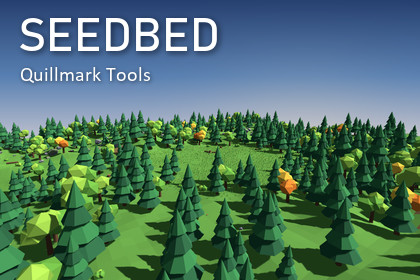
Scatter prefabs the way you would want to edit them: with rules you can change, not strokes you cannot take back.Seedbed fills areas of your scene with trees, rocks, grass, props or anything else. Draw a volume, drop your prefabs into its palette, and the objects are placed on your colliders. Change the density, the slope limits, the spacing or the seed and the whole scatter regenerates. Anything you placed or erased by hand is kept.WHY SEEDBED- Non-destructive: rules live in the scene. Tweak them whenever you like; undo and redo work.- Stable: the same seed always gives the same scatter. Raising the density only adds objects; the ones already placed never move.- Hybrid: a scene-view brush adds hand-placed objects and erases patches on top of the generated ones. Strokes survive every regeneration.- Preview before you commit: with Auto Regenerate off, translucent ghosts in the Scene view show what Generate would add (blue) and remove (red), with the numbers in the inspector. Nothing is created until you press Generate.- Zero cost in builds: volumes live on EditorOnly objects and the Seedbed code is compiled only in the editor. Verified in real Windows player builds on Unity 2022.3 and Unity 6: no Seedbed files, no missing scripts.- Fast: 100,000 objects regenerate in about 1.6 seconds (first generation about 24 seconds, because Unity creates the objects one by one). A built-in collider index avoids the physics slowdown that appears with 100,000 colliders in a scene.- Works with Built-in, URP and HDRP: Seedbed only places your prefabs.FEATURES- Box, ellipse and polygon volumes with scene-view handles- Weighted prefab palette with per-prefab scale, spin, lean, surface alignment, vertical offset, slope and height rules- Density, spacing, slope, height, layer and tag rules- Noise mask (clumps and clearings), edge falloff and painted texture mask- Exclusion volumes that can target specific volumes, with soft edges- Brush: paint, erase, resize; one undo step per stroke- Ghost preview of pending changes in the Scene view (added, moved and removed objects)- Chunked output for huge scatters, minimal-change regeneration- Bake to ordinary objects, with or without the volume- A status sentence that explains why there are fewer objects than wanted- Rotated volumes scatter onto walls and slopes- Includes a full demo scene with 25 original low-poly models, an offline PDF manual and editor scripting helpersWHAT IS INCLUDED- Source code (C#) for the editor tool, fully documented, with 106 automated tests- Demo scene and models (original, generated with scripts)- PDF manual with quick start, reference for every setting, recipes, performance notes and troubleshootingREQUIREMENTS AND LIMITSUnity 2022.3 or newer. Surfaces need colliders (terrain colliders work). Generation does not run in Play mode, and Prefab Mode is not supported in 1.0. The demo materials target the Built-in pipeline; a menu command converts them for URP or HDRP.SUPPORTaxelazch@gmail.com - https://quillmark-tools.vercel.app