
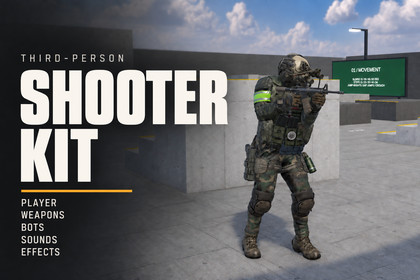
Build a third-person shooter in URP with a playable soldier, configurable weapons, procedural weapon grips, GOAP combat AI, surface effects and a ready-to-explore showcase range.Build your next third-person shooter from a working combat setup.Third-Person Shooter Kit combines a playable Humanoid soldier, configurable hitscan weapons, GOAP combat bots and a showcase range for Unity's Universal Render Pipeline. Start with the demo, duplicate its profiles and adapt the movement, combat and presentation to your project.PLAYER & COMBAT• Rigidbody-based movement with sprinting, crouching, jumping and strafing.• Cinemachine third-person and aiming cameras, with keyboard/mouse and gamepad bindings.• Assault rifle, handgun and shotgun starting prefabs with configurable damage, fire rate, ammunition and recoil/motion profiles.• Weapon pickups, magazine and per-round reloads, detachable magazine visuals and calibrated hand-contact poses.• Procedural weapon grips, aim-down-sights tuning and character-specific hand-pose authoring.AI & SHOWCASE• GOAP bots with patrol, guard and assault roles, faction relationships, perception and NavMesh navigation.• Configurable spawning, respawning, weapon selection and an Editor window for AI authoring and debugging.• A playable range with movement obstacles, targets, surface demonstrations and bot arenas.• Surface-based bullet impacts, decals, particles, tracers, footsteps and weapon audio.• UI Toolkit HUD and menus, weapon skin selection and startup effects preparation.CUSTOMIZATION & DOCUMENTATIONIncludes the modular US soldier, an optimized character-copy workflow, editable profiles and an offline HTML guide covering setup, characters, weapons, reloads, AI and troubleshooting. Editor tools help configure dependencies, project layers and scene references.Designed for local third-person gameplay on the documented Windows/Unity/URP baseline. Custom Humanoid characters require manual rig measurements and grip-pose authoring. Multiplayer replication, mobile controls, a complete save system and automatic universal character conversion are not included.Third-party notices: This asset uses Liberation Sans (SIL Open Font License 1.1),Lucide icons (ISC License; some icons MIT), and a Poly Haven HDRI (CC0).Full license texts are included in Third-Party Notices.txt in the package.AUTHORING BASELINE• Unity 6000.4.3f1; Windows desktop.• Universal Render Pipeline (URP) 17.4.0. A URP asset must be assigned in Graphics and the active Quality settings.• Built-in Render Pipeline and HDRP are outside the supplied setup. Other Unity/package versions and platforms require separate verification.REQUIRED UNITY PACKAGES• Input System 1.19.0• Cinemachine 3.1.7• AI Navigation 2.0.12• Unity UI (uGUI) 2.0.0Dependency setup is available from Tools > Shooter Asset Pack > Install Dependencies. Package installation requires an internet connection. Enable Input System (New) or Both in Active Input Handling.INCLUDED SYSTEMS• Humanoid player with Rigidbody/capsule movement, configurable MotorProfile, procedural weapon rig, grip poses and ragdoll support.• Assault rifle, handgun and shotgun examples; hitscan damage, ammo, pickups, magazine/per-round reloads and muzzle/audio profiles.• GOAP combat AI, faction database, patrol/guard/assault profiles, NavMesh movement, spawning and respawning.• Surface profiles for impacts and footsteps; tracers, decals, particles and audio.• UI Toolkit HUD/menus, Input Actions with keyboard/mouse and gamepad bindings, and a showcase scene.• Modular soldier prefab plus an optimized copy. The copy tool merges compatible skinned parts; it does not reduce triangles, generate LODs or create texture atlases.SETUP & LIMITATIONSKeep both Assets/ShooterAssetPack and Assets/US-soldier when importing. Custom characters require a valid Humanoid Avatar, character-specific rig measurements and captured grip poses. Gamepad bindings are supplied; verify menu navigation on your intended controller. No multiplayer replication, mobile controls or complete save system is included. Profile your intended hardware and actor count; no LOD setup is supplied.DOCUMENTATIONOffline HTML guide included at Assets/ShooterAssetPack/Documentation/index.html. Open it via Tools > Shooter Asset Pack > Welcome & Documentation. Reading the guide requires no server or internet connection. TextMesh Pro Essential Resources and development/MCP tooling are not required.AI tools were used for code review, optimization, debugging and documentation support. AI upscaling was applied to selected images used for visual effects. Some additional sound effects were created with sound-generation tools. AI-assisted tooling was also used in workflows for creating animations, including motion generation from video. The weapon and character assets were created without AI. AI-generated or AI-assisted results were integrated into the Unity project and checked through compilation, targeted tests, asset validation and scene review.