

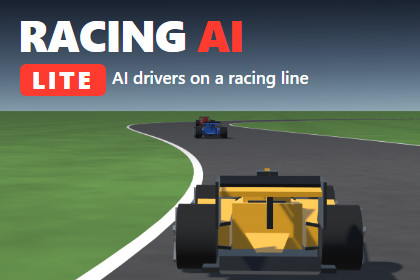
Free AI drivers for racing games: draw a spline track, and up to 3 AI cars drive its racing line with real braking points and corner speeds, with laps and lap times.Built-in Render Pipeline and URP. The AI has no rendering code, and the sample materials convert to the project's pipeline automatically. Tested in new projects on Unity 2022.3 LTS (Built-in) and Unity 6 (URP). HDRP and custom pipelines are not tested. No package dependencies. It can stay installed next to the full Racing AI (separate folder, namespace and assemblies).Racing AI Lite puts AI drivers on your circuit in minutes. Draw a closed track with a spline, add up to three cars, press Play: every car drives a racing line computed for the track, brakes at the right point, carries the right speed through each corner and accelerates out of it. Laps and lap times are counted from a rolling start.It is a small, complete part of Racing AI – Overtaking & Racecraft, with the same racing line and speed model. Use it for prototypes, AI traffic on a circuit, rivals for a time trial, or to see how the AI drives.What is in Racing AI LiteSpline track with scene handles and an optional road mesh (asphalt, edge lines, start line, ground).Computed racing line that uses the whole road: outside, apex, outside.Speed profile from one Formula-like vehicle profile: corner speeds from grip and downforce, braking points from the braking deceleration, acceleration from power and drag.Up to 3 AI cars in kinematic mode: placed on the racing line by the speed simulation, no physics setup, almost no CPU. Each car has its own pace.Simple following: cars never overtake. A faster car that catches the one ahead slows down and keeps a safe gap behind it.Rolling start, laps, lap times, best laps, standings, gaps, and events for your own UI (race started, lap completed, car finished, race finished). Endless mode for traffic or time-trial rivals.Car animation for any model with separate wheels: wheels spin with the speed, front wheels steer with the line.Demo scene: a test circuit of under 2 km, three simple procedural cars, chase and TV cameras, a HUD with lap times and positions, and a view that paints the racing line and its braking zones on the asphalt.What the full version adds – Racing AI – Overtaking & RacecraftUp to 30+ cars that overtake and defend: slipstream, late braking, side by side into the corner, defence and clean give-ups.Pit stops with pit lane, speed limiter, boxes and safe releases.Physics driving with your own cars (a WheelCollider car is included; any controller connects through a short adapter).Player vs AI on the same grid, start lights, rosters with teams and liveries, several vehicle profiles, difficulty and catch-up, a race director with an event log.Full C# source, no dependencies, PDF manual. Tested in new projects on Unity 2022.3 LTS (Built-in) and Unity 6 (URP), and side by side with the full Racing AI in one project.Unity 2022.3 LTS or Unity 6.Render pipelines: Built-in and URP. The AI has no rendering code; the sample materials convert to the project's pipeline automatically.Full C# source, namespace RacingAI.Lite, assembly definitions RacingAI.Lite, RacingAI.Lite.Editor, RacingAI.Lite.Samples.Kinematic mode only, up to 3 cars, one vehicle profile, no overtaking.CPU: about 2 to 2.5 ms of CPU per second of race for 3 cars (Intel Core i5-10500), that is about 0.04 ms per frame at 60 fps; racing line and speed profiles built in about 0.3 s when the race starts.Lap times hardly depend on the frame rate (steps of at most 1/120 s): the race without graphics and the same race in Play mode agree within 2 ms per lap.No other packages needed. The sample HUD uses IMGUI and works with either input system.Can be installed next to the full Racing AI: separate folder, namespace, assemblies and menus.Documentation: README and PDF manual in the package.Support: primemodestudios@gmail.comThe code of this package was written with the help of an AI coding assistant (Claude, by Anthropic). It was reviewed and tested by the publisher in new Unity projects (Unity 2022.3 LTS Built-in, Unity 6 URP). The procedural car model, the demo scene, the manual and the store images were made with the same help; the screenshots are rendered from the package's demo scene.