









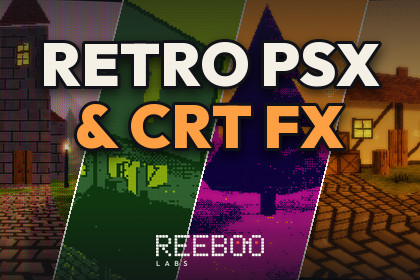
PS1-style surface shaders and a one-pass CRT, VHS and palette screen effect for URP, with 40 presets, one-click setup and a material converter.URP only. Tested on Unity 6000.3.26f1 with URP 17.3.0 (Render Graph), Universal Renderer in Forward and Forward+, Linear colour space. Built-in Render Pipeline and HDRP are not supported. Deferred rendering was not tested.PS1-style surface shaders plus a one-pass CRT, VHS and palette screen effect for the Universal Render Pipeline (URP), with 40 ready presets you can apply in one click.Render pipeline: URP only. Built-in Render Pipeline and HDRP are NOT supported. Tested on Unity 6000.3.26f1 with URP 17.3.0 (Render Graph, Linear colour space).What is inside (number of assets)40 presets (RetroFxPreset assets) + 1 preset library asset3 shaders: PSX Lit, PSX Unlit and the full-screen Retro FX shader (+ 3 HLSL include files)1 URP renderer feature (Render Graph, one full-screen pass) driven by the "REEBOO/Retro FX" Volume override with 39 parameters; it blends with your other URP Volumes16 C# files (8 runtime, 4 editor, 4 demo) in 3 assembly definitions1 demo scene: a generated low-poly village with 81 meshes, 19 materials, 70 trees and 8 point-lit lamp posts, plus a runtime preset picker, before/after, split view, 14 sliders, glitch button, PSX on/off and a fly/orbit camera with 6 viewpointsOffline HTML manual with the full API, plus a READMETextures20 PNG textures, used by the demo scene only: 19 at 16x16 to 64x64 px (point-filtered, albedo or emission) and 1 sky gradient at 4x128 px. All are generated by code. The shaders and screen effect need no textures.Screen effects (one pass, Volume-driven)Pixelation: virtual vertical resolution, point sampled; pixel sizes are defined at 1080p and scale with resolutionColour: saturation, contrast, brightness, tintPalette modes: Posterize (2-64 levels), Four-Colour Ramp (Game Boy style), Four-Colour Nearest (CGA style), Monochrome, with 4x4 Bayer ordered ditherCRT: barrel curvature, scanlines (brightness-dependent beam, automatic anti-moire fade), phosphor mask (aperture grille, shadow mask, slot mask), phosphor glow, vignette, rounded corners, flicker, interlaceVHS: jitter, rolling tracking band, head-switch noise, chroma bleed, chroma shift, tape noise and streaksAlso: chromatic aberration, film grain, glitch (torn strips, block displacement, RGB split, colour swaps), LCD pixel grid, before/after split view, master intensityPSX surface shadersVertex snapping (per material and scene-wide), affine texture mapping (works on WebGL2), point-filter look, colour depth + Bayer ditherPer-vertex Gouraud lighting: main light, ambient probe, additional lights (per vertex in Forward, per pixel in Forward+), main-light shadows, light stepsPer-vertex distance fog with max density, dithered draw-distance fade, vertex colour, emission4 surface types: Opaque, Cutout, Transparent, Additive. SRP Batcher compatible. Shadow and depth passes snap the same way as the visible mesh15 scene-wide PSX Settings values; 19 material settings on PSX Lit, 16 on PSX UnlitOne-click setup and toolsTools > REEBOO > Retro FX > Setup Current Pipeline: adds the renderer feature to every renderer of every URP asset in Graphics and Quality settings, plus a global Volume and PSX Settings in the open scene. Safe to run twiceConvert Scene / Selected Materials to PSX: converts URP Lit, Simple Lit, Complex Lit, Baked Lit, Unlit and Built-in Standard / Legacy Diffuse / Unlit materials; keeps base map, colour, tiling, emission, cutout, transparency and cull; supports Undo and prints a reportPreset inspector (Apply to Scene Volume, Capture from Scene Volume), Load Preset on the Volume, and a warning when the renderer feature is missingScripting APIRetroFxController: Apply, BlendTo(preset, seconds), Next / Previous, PulseGlitch, PulseChromatic, PulseNoise, EffectsEnabled, Settings and a PresetChanged event.Measured GPU costWindows player, 1920x1080, RTX 3060 Ti, D3D12, VSync off, 300 frames per run: the Retro FX pass costs about +0.18 to +0.31 ms GPU (GPU frame 0.266 ms with PSX surfaces only, 0.443-0.524 ms with presets, 0.575 ms with all effects on). Other GPUs and mobile were not measured.Requirements and limitationsUniversal Render Pipeline package (com.unity.render-pipelines.universal) is required. The demo works with the old Input Manager or the Input System and uses uGUI, with an IMGUI fallbackTested: Unity 6000.3.26f1, URP 17.3.0, Universal Renderer in Forward and Forward+, Linear colour space, Windows 10 editor (D3D11), Windows standalone player (D3D12), WebGL2 (Chrome on Windows)Not tested: Deferred rendering, Gamma colour space, XR, macOS, Linux, mobile, consoles, WebGPU, browsers other than Chrome, Unity versions other than 6000.3Lightmaps and reflection probes are not used by the PSX shaders (they use PSX-style vertex lighting)No third-party components are included.Features40 presets: PS1, N64, Saturn, 8/16-bit console, arcade and consumer CRT, VHS, Game Boy and handheld LCD, CGA/EGA palettes, monochrome monitors, thermal, night vision, glitch and more3 shaders: PSX Lit, PSX Unlit, full-screen Retro FX1 URP renderer feature, 1 full-screen pass (Render Graph)Volume override with 39 parameters, blends with other URP VolumesOne-click pipeline setup and a material converter with UndoRuntime controller: preset blending and glitch / noise / chromatic pulsesDemo scene with runtime UI; offline HTML manual16 C# files, all in the REEBOO.RetroFx namespaces; 3 assembly definitionsCompatibilityMinimum Unity version: 6000.3 (tested on 6000.3.26f1)Render pipelines: URP 17.3 (tested). Built-in RP: not supported. HDRP: not supportedRenderer paths tested: Forward, Forward+. Deferred: not testedPlatforms tested: Windows (D3D12 player, D3D11 editor) and WebGL2. Other platforms were not testedTextures20 demo textures: 19 at 16x16 to 64x64 px, 1 at 4x128 px (PNG, generated by code)PackageAbout 300 KB (.unitypackage), single root folder Assets/REEBOO/RetroPsxFxAI tool used: Claude (Anthropic), through Claude Code, as a coding assistant.What was made with it: the C# scripts (runtime, editor tools, demo), the HLSL shaders, the code that generates the demo scene (meshes, materials and textures), the HTML manual and the store text.What our team did beyond the generated output: specified the features and presets, reviewed and edited the code, and tested it in Unity 6000.3.26f1 / URP 17.3: compile checks (0 errors, 0 shader errors or warnings), clean imports into new projects (Forward and Forward+), automated smoke tests that render 10 presets, material converter tests with Undo/Redo, a Windows D3D12 benchmark and a WebGL2 run in Chrome. Bugs found in testing were fixed (material converter emission detection, two shader warnings in WebGL, moire from masks and scanlines, over-bright presets, fog). Presets were tuned by reviewing renders, and a near-duplicate preset was removed.No AI image, texture, model or audio generation was used. All textures are generated by code, and all screenshots and marketing images are renders of the demo scene made with the package's own shaders.

