









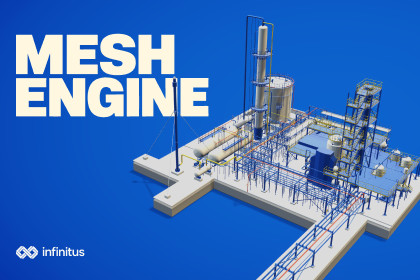
Mesh Engine: Partitioning & LOD
Infinitus Interactive
$38.49
$54.99
30%OFF
(no ratings)
Jump AssetStore
Partition large static models in Unity, preview each region and generate LODGroups. Reuse your settings across batches and when a revised model arrives.Mesh Engine helps you prepare large static models for digital twins, industrial visualisation, simulation and game environments. Start with an individual component or a complete model hierarchy, choose a partition grid and inspect how the geometry falls into each region.Preview the partitions before you generateColour the geometry by partition in the Scene view or switch back to the original materials. Focus on one region to see which parts belong to it, compare the grid cell with the actual bounds of its geometry, or inspect one layer of the grid at a time.Generate and compare levels of detailKeep the original detail at LOD0 and generate up to three reduced levels as Unity meshes and native LODGroups. Choose how much geometry you want each level to retain and when it should appear on screen. Mesh Engine protects shared boundaries during reduction and reports the triangle counts it achieved.Repeat the job when the model changesSave your settings as a profile and apply it to the next revision. For a batch, use shared settings across the queue and override individual models where needed. You can run partitioning and LOD generation together or separately. Keep each result as a separate output set for comparison, or explicitly select an earlier set to replace.Try it on a complete industrial plantThe included Plant demo starts with 13,302 mesh renderers. With the supplied settings, Mesh Engine organises the gemoetry into 131 segments across seven occupied grid cells. Compare LOD0 at 656,956 triangles with LOD2 at 517,520 triangles from the same saved viewpoint.Two smaller demo scenes cover your first result and a batch of models with different settings. All three include Scene view instructions and saved results you can inspect before running the tool yourself.Live documentation: https://infinitusinteractive.com/portfolio/mesh-engine/docsContact support: support@teaminfinitus.comInputs. Static scene objects, prefabs, imported model assets and Mesh assets. Meshes must contain readable triangle geometry. Enable Read/Write on imported meshes where required.Partitioning. Set the number of grid divisions indepedently on X, Y and Z. Use automatic bounds, bounds from a selection or custom bounds.Preview. Inspect coloured partitions, original materials, individual regions, occupied cells and grid or geometry bounds. Filter bounds by grid layer.LODs. Keep LOD0 and generate up to three reduced levels. Set triangle-retention targets and screen-height transitions for native Unity LODGroups.Batch processing. Queue multiple sources, save reusable settings profiles and override selected settings per model.Outputs. Save generated meshes and copied materials in a dedicated output set, with optional prefabs and scene hierarchies. Select the exact output set when replacing an earlier result.Included content. Three URP demo scenes, the industrial Plant model, example profiles, saved outputs and an offline manual.Tested environments. Windows with Unity 6000.3.11f1 and URP 17.3.0, and Windows with Unity 6000.4.4f1 and URP 17.4.0. Other operating systems, the Built-in Render Pipeline and HDRP are outside the tested configurations.Dependencies. The supplied demo scenes use URP. UnityMeshSimplifier source is included under its MIT license. Unity's Input System package is optional.Processing limitsMesh Engine processes static meshes in the Unity Editor. Skinned meshes, blendshapes and runtime generation are unsupported. Import CAD geometry into Unity as meshes before processing. Generated materials retain their source shaders, so material conversion between render pipelines is a separate step.Partitioning assigns each whole triangle to a cell using its centre. Triangles can extend beyond cell boundaries, so neighbouring partitions maybe have overlapping bounds. Partitioning does not slice or gap geometry.LOD percentages are targets. Protecting boundaries and topology can leave more triangles than requested, and some segments may retain their original geometry. The results show the actual triangle count at each level.

