









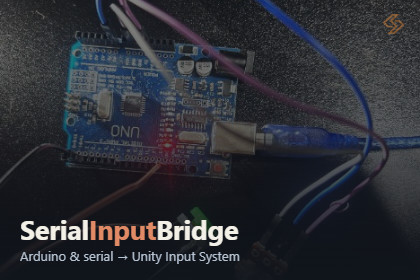
Use an Arduino (or any serial device) as a device in Unity's Input System. Buttons, knobs and sensor as controls in an Input Actions asset. Digital, PWM and servo outputs can be driven back from UnityI built this because it is such a hassle to setup Arduino or any serial board. Using Serial Input Bridge, you can use an Arduino as a real Unity Input System device. Buttons and knobs show up as controls in the Input Systems that you bind like a gamepad.What does this do?It digital and analog inputs from the board into the Input SystemProvides output from Input System. Serial Input Bridge also drives digital, PWM and servo outputs back from Unity.Works through Firmata (upload StandardFirmata once). Custom code protocol is also possible for Advanced usersDiscovers the board's pins and builds the profile for youGenerates the Input Actions asset from detected profileWhy it's usefulNo custom serial parsing code.Binds to actions and PlayerInput like any other device.Handles port picking, reconnect and unplug.Outputs return to a safe state when you stop Play mode.Included with this demo is:A demo scene with a ready-made profile and wiring diagram.Editor tools: Control Panel, Set Up Arduino, Input Monitor, Input Actions Wizard.A README with a quick start and a troubleshooting table.Support: contact@syazmedia.comArduino as a native Input System device: buttons, switches and knobs appear as controls you bind in any Input Actions asset.Two transports: Firmata (upload StandardFirmata once) or your own text protocol (D2:1;A0:512).One-click board setup: Set Up Arduino finds the serial port, discovers the board's pins and saves a profile.Input Actions generator: the wizard builds or updates an Input Actions asset from a profile. It keeps your other maps and doesn't duplicate bindings.Digital inputs with pull-ups: wire a button between a pin and GND, with no resistor.Analog inputs: analog channels are normalized to a usable range.Outputs from Unity: digital, PWM and servo writes for LEDs, relays, motor drivers and servos.Output safety: pins with conflicting roles are left unconfigured. Outputs return to LOW/0 on stop, and servos stay where they were.Robust connection handling: auto-picks the likely Arduino port, detects a lost connection, optionally reconnects, and releases the port cleanly between Play sessions.Boot handshake: waits for boards that reset on open (Uno, Nano) and supports native-USB boards (Leonardo, Micro).Editor tools: Control Panel, Input Monitor, and Set Up Arduino, all under Tools > Serial Input Bridge.Self-healing setup: one click switches the project to .NET Framework, which serial ports require, and the package's scripts follow the setting automatically.Demo scene: a ready-made DemoFirmata profile with a wiring diagram and README.Docs and QA: README quick start and troubleshooting table, plus a QA checklist.AI assistance (Claude by Anthropic) was used for parts of the Unity 6 compatibility setup, the project rename, documentation and QA planning. Systems designs are created by the AuthorAll code was reviewed, compiled and tested by the author in Unity, and hardware behavior was verified on real boards.

