









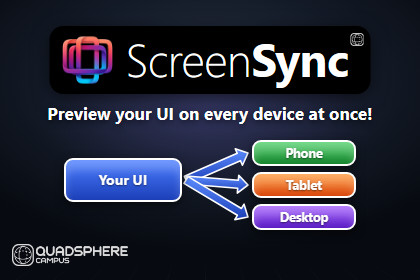
See your UI on many devices at once. Click to select, edit live, test in Play Mode and export store-ready screenshots. Works with uGUI and UI Toolkit, and never modifies your scenes.Stop switching Game view resolutions one at a time. qs_ScreenSync puts your UI on every device you care about, side by side, all updating live as you work.Open the Workbench and it finds your UI automatically: the prefab you’re editing, the Canvas or UIDocument you have selected, or the UI in your scene. Each device runs in its own isolated preview, so your scenes and prefabs are never modified.Built for everyday UI workEdit in the Inspector or Hierarchy and every device updates right awayClick any element in any preview to select it in the HierarchySee notches, punch holes, rounded corners and safe areas on every device, in all four orientationsEnter Play Mode and use your UI from any preview: clicks, drags, scrolling and typing are passed to the running gameCatch layout problems earlySafe Area, TV Safe and HUD guide overlaysOverdraw, Raycast Target and Text Overflow overlaysPhysical (DPI) scale mode shows devices at their real-world relative sizesShip-ready screenshotsCapture one device or all of them at native resolution as opaque PNGs ready for app store upload. You can also run batch captures from the command line in CI.Why not just Device Simulator?Unity’s Device Simulator shows one device at a time. qs_ScreenSync shows all of them at once, on a pan-and-zoom artboard, with click-to-select, live edit syncing and batch capture.Works with both uGUI and UI Toolkit. A showcase scene is included.SupportQuestions, bug reports or feature requests? Join the qs_ScreenSync Discord: https://discord.gg/s5vnM5nvWWhen reporting a bug, please include the report from ? > Diagnostics > Copy System & Diagnostic Report in the Workbench.RequirementsUnity 6 (tested on 6000.3.13f1)Universal Render Pipeline (URP 17). If URP isn’t installed, a small setup prompt offers to install it.uGUI 2.0 and UI ToolkitHDRP and the Built-in Render Pipeline are not supportedKey featuresMulti-device workbench on an infinite pan-and-zoom artboard with Row, Freeform and Solo layouts15 device presets: phones, foldables, tablets, handheld consoles, desktop and ultrawide displaysDevice cutouts (notch, pill, punch holes), rounded corners and safe areasFour-way orientation for each deviceFree Aspect viewport with resize grip, exact size fields and aspect lockCustom viewport templates saved to ProjectSettings, so they can be shared through version controlAutomatic target binding to prefabs, Canvases, UIDocuments and standalone .uxml filesIsolated preview scenes: your scenes and prefabs are never modifiedClick-to-select from any preview into the Hierarchy and InspectorLive Edit Mode sync: property changes are patched in place, structural changes rebuildPlay Mode mirroring and input forwarding: clicks, drags, scroll and keyboardUI Toolkit previews scaled with each document’s PanelSettings, refreshed automatically when .uxml or .uss files changePhysical (DPI) scale modeGuide overlays: Safe Area, TV Action/Title Safe, HUDDiagnostic overlays: Overdraw, Raycast Targets, Text OverflowNative-resolution PNG capture with a JSON manifest, opaque by default with optional transparencyCommand-line batch capture for CIWorkbench layout survives recompiles and reopening the windowBuilt-in Self-Check and copyable diagnostic reportScripting API[ScreenSyncPreserve] attribute and IScreenSyncPreserve interface keep chosen scripts running in previewsIScreenSyncDeviceReceiver gives your scripts the simulated device’s resolution, safe area, cutout, DPI and orientationFootprintEditor-only tool. Only the preserve attribute and interfaces are included in player builds.Documentation is included in the package (README).This tool was created with the assistance of Claude and Gemini.

