









UITK Dev Tools and Node Graph (needs Core)
GerLabs
$12.31
$17.59
30%OFF
(no ratings)
Jump AssetStore
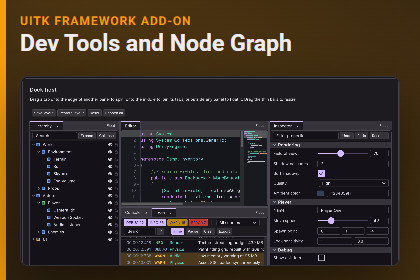
Editor-like tools for runtime UI Toolkit: code editor, diff and merge, JSON, terminal, logs, profiler views, dock layout and a node graph editor. Needs UITK Framework Core.REQUIRES UITK FRAMEWORK CORE 1.0.0 OR NEWER (sold separately, same publisher). Import the Core first. This pack does nothing alone.The Dev Tools and Node Graph pack adds editor-like tool windows to UITK Framework Core for in-game tools, debug overlays and level editors: a code editor with syntax highlighting, diff and merge, a JSON viewer, a terminal, a log viewer, profiler views, a dock layout and a node graph editor.Features by task- Edit and read code. Code editor with syntax highlighting, folding, find and replace, undo and redo and a minimap; read-only code viewer; diff and merge views with three-way merge; regex tester; converters.- Inspect data. JSON viewer with search and copy path, property inspector, tree views, outliner, file explorer.- Console and logs. Terminal with commands, history and completion; log viewer with levels, search and export; test runner view; commit graph and change list.- Profile and trace. Frame chart, flame graph, call tree, treemap, timeline, network waterfall.- Build a tool window. Dock layout host with tabs, splitters and floating windows; toolbar, breadcrumbs, status bar, virtual list.- Node graph. Node graph editor with ports, wires, minimap and graph evaluation.- Unity workflow. Ten prefabs, ten GameObject menu entries, every widget is a UXML element and works with the UfWidget component. Syntax colour schemes; texts in DevToolsText.Requirements and compatibility- Unity 6 and above (6000.0 or newer). Developed on Unity 6000.3.27f1; also tested on 6000.0.85f2.- UITK Framework Core 1.0.0 or newer (sold separately).- UI Toolkit only. No uGUI. No other Unity packages are required.- Render pipelines: no custom shaders. Tested in URP only. Built-in and HDRP are not tested.- Platforms: Editor and Windows standalone (Mono) tested. Mobile, WebGL, consoles and IL2CPP are not tested.- Not tested: Enter Play Mode with domain reload turned off (Fast Enter Play Mode).What is includedSource code (C#), style sheets, ten prefabs, the StudioWorkspace demo scene, documentation (README, reference, node graph), third-party notices. 10 pages are added to the Core Showcase. No images, fonts, audio, models or shaders.Third-party content: none. See Licenses/THIRD-PARTY-NOTICES.txt in the package.Images in this listing are UI Toolkit runtime renders of the included demo content.Code editor: highlighting, folding, find and replace, undo, minimapDiff and three-way mergeJSON viewer, property inspector, treesTerminal, log viewer, test runner viewProfiler, flame graph, network waterfall, timelineDock layout hostNode graph editor with evaluationSyntax colour schemesTen prefabs and menu entriesSource code included, no third-party contentThe contents of this package were generated, in part, with the aid of AI. The C# source code, the UXML and USS files, the prefabs and demo scenes (built by scripts), the automated tests and the documentation were written with Anthropic Claude, used through Claude Code, and then reviewed, tested and edited by the publisher (the publisher chose the features, checked the behavior in Unity and fixed problems found in testing). This covers all functional content of the package. The package contains no AI-generated artwork, audio, video, fonts or 3D models. The only image files in the product line are three small glyph PNGs (a check mark and two arrows) in the Core package, made by a small script that was itself written with AI help. The package does not call any AI service or the network at run time. The store images are marketing material only: they are renders of the package demo content, laid out with scripts that were written with the same AI help; no AI image generator was used.

