




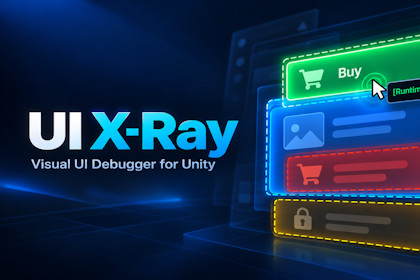
Find hidden UI blockers and trace click callbacks in Unity. Visualize overlapping elements, inspect raycast hits, and debug uGUI in Edit & Play ModeWhy isn't your button working? What's blocking it? Which method actually gets called?UI X-Ray is a visual debugging tool for Unity's uGUI system that helps you understand exactly how your interface behaves.Instead of manually searching through complex Canvas hierarchies, UI X-Ray visualizes interactive elements, detects overlaps, inspects raycast results, and helps trace UI event callbacks — all directly inside the Unity Editor.Key FeaturesVisual UI Overlay — Instantly highlight interface elements with color-coded states: interactive, partially covered, fully blocked, or unavailable.Overlap Detection — Identify hidden blockers, overlapping graphics, and UI elements that cannot receive pointer input.Raycast Debugger — Inspect UI elements under the cursor, their hit order, enabled states, and interactability.Event Monitor — Inspect click-related callbacks, including runtime-registered listeners that aren't visible in the standard Unity Inspector.Edit & Play Mode Support — Analyze your interface both while editing and during gameplay.Simple Workflow — Enable the debugger, interact with your UI, and immediately see what's happening.Perfect for debugging:Unresponsive buttons and invisible raycast blockers.Complex menus and overlapping UI panels.Nested Canvas layouts and interactive elements.Runtime event bindings and unexpected click behavior.Stop guessing why your UI doesn't work. See what's happening with UI X-Ray.Designed for Unity uGUI (Canvas-based UI). UI Toolkit is not supported.CompatibilityUnity 2022.3 LTS and newer (including Unity 6).Unity uGUI (UnityEngine.UI).Edit Mode and Play Mode.Unity Editor extension; debugging functionality runs inside the Editor.Minimum supported Unity version: 2022.3 LTS.Render Pipelines: Built-in, URP, HDRP (render pipeline independent).AI Code Assistance

