




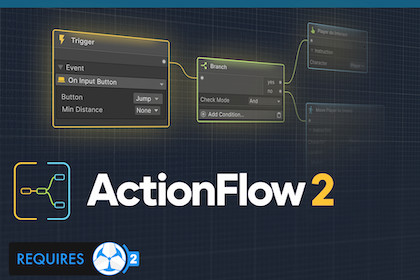
Provides a fully native, node-based workflow for Game Creator 2.⚠️ NOTE ⚠️ActionFlow is an extension for Game Creator 2 and won't work without it!---ActionFlow 2 completely revolutionizes the way you work with Game Creator 2.No more cluttering the inspector with endless instructions. Work natively with a clean, node-based view. Just view existing GC2 components on any GameObject as ActionFlow graphs.Start using Game Creator 2 your way!Documentation | Website | Discord---⭐️ FEATURES ⭐️Open Triggers, Instructions, and Conditions directly in an ActionFlow Graph.Works with any current and future module, 3rd party extension, or Hub content.Fully native workflow. Drag and drop GameObjects and components right into your ActionFlow graph.Powerful Branch and Flow nodes for clean game logic flow in a graph.Asset graphs with parameters for reusable, modular GC2 behaviors.Prefab support opens graphs on prefab assets and instances.More intuitive than nested branches piling up in the inspector.Keep your graphs organized with placemats and sticky notes.Quickly pan and zoom your graph, and use a minimap to navigate.Efficiently add nodes by text search, or browse by category.No need for extra runner components, blackboards, or embedding (like SM2).No added state machine complexity, just plain and native Game Creator 2.Auto-layout large graphs for a tidy overviewWork your way: single or multiple instructions in a node.Compatible with Unity's latest fast Play Mode options.Node and Branch-path highlighting in Play Mode for live debugging.Editor only. Zero performance overhead in your builds.Live editing of node values while running.Seamlessly switch between (and mix) node-based and inspector-based workflows.Copy/paste nodes between graphs.Native LogicBlock support. Open your LogicBlock assets as graphs.Does not rely on third-party serializers, providing a clean and future-proof solution for your project.Third-party licensingThis asset uses Tabler Icons and Phosphor Icons under the MIT license. See Third-Party Notices.txt in the package for details.RequirementsGame Creator 2 is required. Install official Core and module releases compatible with your chosen Unity version and with each other.Supports Unity 6.3 LTS and Unity 6.6. Currently validated on Unity 6000.3.22f1 and 6000.6.0f1 with the corresponding compatible Game Creator Core 2.19.61 packages.LogicBlock integration is optional. NodeFlow is not required.CompatibilityAutomatically discovers Events, Instructions, and compatible property providers from installed Game Creator 2 modules after Unity recompiles. No separate ActionFlow integration packages are required.Uses version-appropriate Unity object, scene, and serialized-field handling for the supported Unity versions.Render-pipeline independent. ActionFlow contains no Built-in, URP, or HDRP-specific content.Supports Game Creator Triggers, Actions, and Conditions on scene objects, prefab assets, prefab instances, variants, and nested prefabs.Includes reusable ActionFlow Instruction, Branch, and Condition assets with typed parameters.Compatible LogicBlock assets can optionally be opened and observed as ActionFlow graphs.Technical behaviorActionFlow 2 edits the original Game Creator components and ScriptableObjects. It does not introduce a separate runtime graph format.Supports Unity Undo/Redo, prefab overrides, copy/paste, graph search, minimap navigation, placemats, sticky notes, and Play Mode execution highlighting, including taken and rejected branch paths.Includes automatic horizontal layout and Shift-click layout that wraps long instruction chains into multiple rows.Structural changes are made in Edit Mode. Graphs remain navigable and observable during Play Mode.DocumentationOnline documentationThe package includes the complete offline PDF manual and Unity/Game Creator installation, upgrade, and compatibility guidance.Codex AI assisted with code development, debugging, documentation, and creating or refining some icons.

