




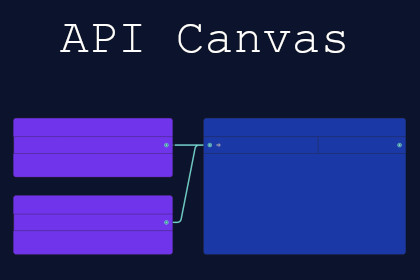
Stop writing API boilerplate. Build, test, and run REST calls visually with Visual Scripting support.N/AAPI Canvas is a visual tool that lets you build, test, and run REST API calls directly inside the Unity Editor without writing a single line of code.Whether you are calling a weather API, setting up user authentication, or integrating with a backend service, API Canvas replaces messy boilerplate with a clean, node-based workflow. Drag in a few nodes, fill in your endpoint details, and you are ready to go.The visual graph editor makes complex API workflows simple. You can chain multiple requests together, for example, Login, then Get Token, then Fetch User Profile. Instead of manually typing long JSON paths, you select properties from a dropdown and give them custom aliases for easy runtime access.Key features include node-based workflows with no coding required, dropdown-based JSON property selection so you never type dot notation paths again, request variables for dynamic and sensitive data, built-in authentication with sensitive fields stored safely, reusable request templates across projects, live debugging with detailed request and response information, full Visual Scripting integration for no-code workflows, and a C# API for developers who prefer to work in code.API Canvas is for designers and no-code developers who want to call APIs and display data in their UI without touching C#. It is for technical artists and pipeline developers who want to build and share authenticated API chains visually. And it is for programmers who want to call workflows directly from their own code.What is included is a full visual graph editor, a runtime system for executing workflows in builds, a request template system for creating and reusing configurations, sample scenes for Weather API and Fake Store API, comprehensive documentation, and direct support from the developer.When you purchase API Canvas, you get direct support from the developer, regular updates aligned with Unity LTS releases, and clear documentation with video tutorials.Asset requires Newtonsoft.Json to function (com.unity.nuget.newtonsoft-json).Optional Visual Scripting functionality requires Visual Scripting package (main asset will work without this, however some sample scenes require this).Optional Text Mesh Pro package is required for sample scenes ("./APICanvas/Samples") to work correctly.Asset uses tabler-icons under MIT License; see Third-Party Notices.txt file in package for details.Asset uses Inconsolata under SIL Open Font License, Version 1.1; see Third-Party Notices.txt file in package for details.Asset uses AwsSignature under MIT License; see Third-Party Notices.txt file in package for details.Asset uses Weather Icons under SIL Open Font License, Version 1.1; see Third-Party Notices.txt file in package for details.This tool provides a visual graph-based API workflow builder built using Unity's Experimental.GraphView.- The HTTP Request node supports GET, POST, PUT, PATCH, and DELETE methods, and contains a debug info panel that shows full request and response details for easy troubleshooting.- The Parse node handles JSON responses and enables request chaining.- The Extract Properties node provides dropdown-based JSON path selection so you never need to type dot notation manually.- The Request Variable node enables dynamic and sensitive data handling using var placeholders.- The Workflow Node is what couples your nodes together.- Authentication is included with EditorPrefs-protected fields for secure testing.- Request Templates are reusable ScriptableObject assets that can be shared across projects.For Visual Scripting users, the tool includes custom nodes for assigning request variables, running workflows, and retrieving workflow properties.The runtime is fully safe with no Editor dependencies in built players. All Editor and runtime code has been separated using custom assemblies.Supports Unity 2021.3 LTS and up (tested up to 6000.3.13f1). Dependencies include Newtonsoft.Json >=2.0.0, optional Visual Scripting >=1.5.2 (only compiles if a compatible version of the Visual Scripting package is installed), and optional Text Mesh Pro which is only used for sample scenes.AI was used to translate the UI into non-English languages (which I don't speak/read). These include French, Spanish, Korean, and Simplified Chinese.

