




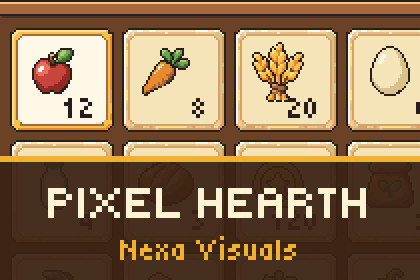
Pixel-art UI kit for farming and life-sim games: inventory, shop, crafting, quests, calendar, dialogue and HUD, in landscape and portrait, with 15 demo scenes. uGUI + TextMesh Pro.Tested in the Built-in Render Pipeline (Unity 6000.3.20f1, clean import also on 6000.6.7f1). The kit is uGUI + TextMesh Pro. Its pixel font material uses an own unlit UI shader (Fonts/PixelText.shader) with a URP SubShader and a Built-in SubShader, but URP and HDRP were not rendered or tested, so only Built-in is ticked.Pixel Hearth is a ready-made pixel-art interface for farming, cooking and village-life games. Seven complete screens, each built for landscape and portrait, come with working demo scenes: press Play and every button, tab, list and bar already responds.The art is warm wood-and-cream pixel art that stays sharp on any screen. The canvas scale is always a whole number, so pixels stay square from a phone to a 3440 x 1440 monitor.What you get7 screens, each in landscape and portrait (14 demo scenes): Inventory, Calendar, Crafting, Dialogue, HUD, Quest log, ShopA gallery scene with all 20 prefabs: window, title ribbon, name plate, buttons (normal, hover, pressed, focused, disabled), tabs, item slot, progress bars, scroll bar, tooltip, coin and energy counters, quantity selector146 pixel-art sprites with 9-slice borders and one Sprite Atlas: 48 item icons (food, crops, tools, materials, valuables), 12 glyphs, calendar markers, panels, plates, rows, bars and buttons. Lossless PNG, Point filterTiny5 pixel font as a TextMesh Pro font asset (SIL Open Font License)Documentation, change log and third-party notices inside the packageWhat each screen does in the demoInventory: a grid with tabs, an item panel, one fitting action (eat, equip), locked slotsCalendar: a season grid with festival, birthday and market markers, a day panel with weather and events, season arrowsCrafting: recipes with up to four ingredients, have / need counts, a quantity selector, a progress bar, a locked recipeDialogue: a portrait frame, a name plate that grows, a typewriter text, answers above the box (one can be disabled)HUD: coins, energy, weather, clock and date, a hotbar with counts and a tooltipQuest log: ACTIVE and DONE tabs, progress, reward and claim, locked and empty statesShop: BUY and SELL tabs, stock (OUT when none), quantity, total and reasons in wordsBuilt for real projectsMobile ready: safe-area handling, touch areas of at least 48 dp, lists that scroll in whole rows with the mouse wheel, by dragging or with the scroll barKeyboard navigation with a visible focus on every button; Escape closes a windowOne MonoBehaviour per screen with public methods and UnityEvents for your game: select, claim, buy, sell, choose, closeOwn assembly and namespace (NexaVisuals.PixelLifeSim), no static state, works with Enter Play Mode and Domain Reload disabledChecked in the Editor by 233 Play Mode tests, including mouse and keyboard input, and by rendering every screen at 8 landscape and 7 portrait screen shapesGood to knowFirst step in every new project: import the TextMesh Pro Essential Resources (Window > TextMeshPro > Import TMP Essential Resources). The documentation says so on its first page.The screens hold small demo tables, not a game model. You connect your own data through the methods and events.English text only, one font at one size; no localisation or right-to-left support.Not included: game logic or a shared inventory model, sound, animation clips, particle effects. The music and sounds of the trailer are not part of the package.Tested in the Built-in Render Pipeline on Unity 6000.3. URP and HDRP were not rendered or tested, and the kit was not tested on a physical phone.Source files: PNG, lossless, Point filter, no compression. 146 sprites: item icons 32 x 32, glyphs 16 x 16, calendar markers 8 x 8, frames, plates, rows, bars and buttons with 9-slice bordersFile count: 213 files in the package (146 PNG, 24 C# scripts, 20 prefabs, 15 scenes, 1 sprite atlas, 1 font asset, 1 shader, 1 assembly definition, documentation and licence files)Animated: No. States swap sprites; the typewriter text, progress bars and clock move by code. No animation clipsAnimation type list: noneAdditional: pixel based (raster pixel art, no vector files)Unity: 6000.3 or newer (tested on 6000.3.20f1; clean import also on 6000.6.7f1)UI: uGUI + TextMesh Pro. Built-in Render Pipeline tested; URP and HDRP not testedCode: 24 C# scripts in their own assembly, namespace NexaVisuals.PixelLifeSim, no mutable static stateDemo scenes: 15 (7 screens in landscape and portrait, plus a gallery of all prefabs)Font: Tiny5 (SIL Open Font License 1.1), see Third-Party Notices.txtDocumentation: Documentation.md and CHANGELOG.md in the package folder (Assets/NexaVisuals/PixelLifeSim)Part of the art of this kit was produced with AI image generation: 110 generation requests (74 accepted) with the OpenAI "gpt-image" model through Codex image generation (run by the publisher; the images' own content credentials name the agent ChatGPT and the version gpt-image), from written prompts and earlier accepted images as references. No artist, game or brand names were used in prompts. 88 of the 146 sprites (the item icons and the larger panels, plates, bars and rows) come from those images.Everything after generation was done by code in our own pipeline, not by hand: the images were split into separate parts, snapped to a clean pixel grid, fitted to one size per part and given 9-slice borders; one state sprite (the pressed green button) was recoloured by code for text contrast. The other 58 sprites (small buttons, tabs, slot and day-cell frames, checkbox, close button, glyphs and the four calendar markers) are made by code from palette colours, not generated.Not AI-generated: all C# code, prefabs, scenes and layouts (built by our editor tools), the documentation, and the font (Tiny5, SIL Open Font License). The screenshots and the trailer are captures of the kit running in Unity.

