









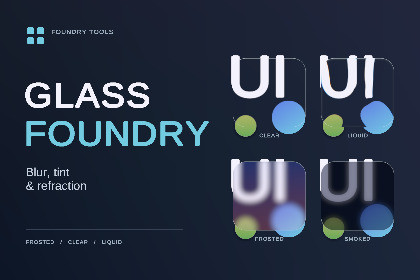
Frosted panels, clear glass and liquid refraction for Unity UI, with reusable styles, Edit mode previews and optional background UI capture. Requires Unity 6 and URP.DocumentationAdd frosted backgrounds, clear panels and curved liquid glass to your menus, HUDs and interfaces.Glass Foundry combines background blur, tinting and refraction in an editable UI component. Keep the scene visible through a clear panel, soften a busy background behind your menu, or bend it through a thicker liquid lens.Choose a finish, then make it yoursStart with the Frosted, Clear or Liquid presets and adjust the appearance in the Inspector. Change colours, blend between clear and blurred backgrounds, add gradient tints, and set uniform or individual corner radii.For a stronger lens effect, adjust refraction, magnification and colour dispersion. Border and edge-light controls help define the surface without covering the centre.Save appearances you want to reuseSave your settings as a style and apply it across several panels. Linked panels follow the same style, while a local copy lets you change one panel independently.See changes without entering Play modePreview glass in the Game view while editing. The camera setup tool helps configure the renderer and create your first panel. Included example scenes let you compare finishes, drag panels over moving backgrounds and try glass over UI text.Blur the UI behind your panelsOptional background UI capture includes earlier Overlay text and images, allowing them to blur and refract through the glass. Labels placed inside the glass panel stay sharp.Control the rendering costPanels using the same camera source share its background capture and blur. Choose the capture resolution, blur steps and update rate, or freeze the background and refresh it manually.Glass Foundry works independently of the other Foundry assets.Requires Unity 6, Universal RP 17 and Unity UI (uGUI).Uses the Universal Renderer (3D) with Render Graph enabled.Designed for Screen Space - Overlay canvases with a full-viewport base camera.Frosted, Clear and Liquid starting presets, plus reusable style assets.Solid and two-colour gradient tints with Overlay and Filter modes.Clarity, saturation, brightness and contrast controls.Screen-space refraction, magnification, colour dispersion and edge sheen.Uniform and individual corner radii.Border width, opacity and edge-light direction controls.Standard Mask, RectMask2D and CanvasGroup support.Shared camera capture with half, quarter or eighth resolution.Adjustable capture rate, frozen capture and manual refresh.Edit mode preview in the Game view.Example scenes use TextMesh Pro and the Input System.Background UI capture: supports one shared Overlay UI layer drawn before the first visible glass panel. Recursive glass, UI between successive glass layers, camera-space UI and UI Toolkit capture are excluded.Compatibility: Built-in, HDRP, the 2D Renderer and URP Compatibility Mode are not supported. XR, split-screen, dynamic resolution and broad mobile hardware compatibility have not been verified.

