




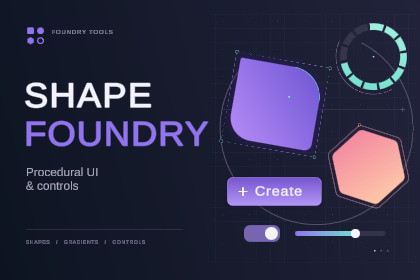
Create procedural shapes, gradients, outlines and shadows directly in Unity. Build UI with ready-made controls, then save your own styles and reusable templates.DocumentationCreate the look you want, then save it for the next button, panel or menu.Shape Foundry combines procedural shapes, ready-made UI controls and reusable templates. Adjust corners, gradients, borders and shadows in the Inspector, then keep your designs in a visual library so you can find and reuse them.Start with something usefulChoose from buttons, panels, progress bars, rings, input fields, dropdowns, checkboxes, slide toggles and scroll views. Browse previews of complete controls, add one to your Canvas or apply a compatible look to an existing control while keeping its layout, text and events.Make it your ownRound each corner independently, soften polygon corners, create segmented rings or add a gradient outline. Fill and border gradients have separate settings, including multiple colour and transparency stops.Bring your own sprites and textures. Add outlines and shadows that follow the artwork’s transparency, adjust its sizing or repeat it as a tiled fill. Basic procedural shapes need no source sprites.Keep your UI consistentSave a complete control as a template, including its children, text and behaviour. Share appearance styles between shapes to update their look together, with local overrides where you need a variation.Your saved templates appear alongside the included examples, with previews, search, categories and favourites. No more hunting through old scenes to copy a button you made earlier.Try the included examplesThe Interactive Studio lets you experiment with shapes, gradients, borders, shadows and working controls. Adjust the examples, switch themes and explore how the settings change their appearance.Use the included templates as a starting point for menus, HUDs, settings screens and other interfaces.Optional Icon Foundry integrationIf you also own Icon Foundry, browse its icon library from the image source controls and assign icons to your shapes. Icon Foundry is sold separately and is not required.Shape Foundry is designed for Unity Canvas UI using uGUI. Included controls and examples use TextMesh Pro.Built for Unity Canvas UI using uGUI.Rounded rectangles with four independent corner radii.Ellipses, rings and polygons with adjustable sides and corner rounding.Solid, linear, radial and angular fills.Multi-stop gradients with colour and transparency controls.Independent fill and border gradients.Directional and uniform shadows with offset, softness and spread controls.Sprite, Texture2D and RenderTexture sources.Image-aware outlines and shadows, including transparent cutouts.Image sizing, tinting and texture tiling.Horizontal, vertical and radial progress fills.Ring thickness, segmentation, gaps and rounded caps.Button feedback with hover, press and scale effects.Buttons, panels, progress bars, rings, TMP input fields, dropdowns, checkboxes, slide toggles and scroll views.Visual template library with previews, search, categories and favourites.Reusable control prefabs and shared appearance styles.Multi-object editing, Undo/Redo and prefab support.Transparent PNG export.Interactive sample scene and documentation included.

