




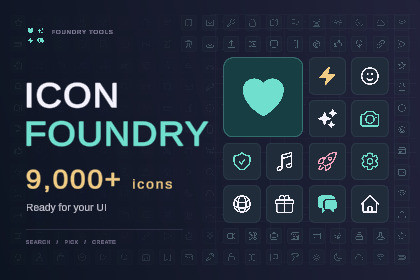
Over 9,000 icons in a searchable offline library for Unity UI. Preview icons, choose a size and add them to menus, HUDs and buttons without leaving the editor.Icon Foundry documentationIcon Foundry brings over 9,000 icons into a searchable library inside the Unity Editor. Find what you need, preview it on your UI and add it with a click.Build menus, inventories, HUDs and settings screens with icons from Tabler, Lucide and Heroicons. Choose from outlined and solid styles, pick an import size and adjust the colour to suit your project.A quick way to find the right iconSearch across all three collections without leaving Unity. Preview icons directly on your selected object before confirming your choice. Everything is bundled locally, so browsing and importing work offline after initial setup.Fits your existing UICreate an Icon Image from the UI menu or convert a standard Unity UI Image while keeping its settings and references. Tint icons, flip them horizontally or vertically, and change your selection whenever you need to.Only import what you useIcons are saved as transparent PNG sprites at your chosen resolution. The source library stays in the editor, so it does not need to be included in your game build.Examples to get you startedThree editable sample scenes include icon grids and a game UI layout with a menu, health bars, currencies, inventory slots and an action bar.Includes 9,938 named icon entries, counting aliases and style variants. Unity package dependencies install during setup and require an internet connection for that step. Third-party icon licence notices are included.9,938 named icon entries, including aliases and style variants.Bundled Tabler, Lucide and Heroicons collections.Search and preview icons inside the Unity Editor.Import transparent PNG sprites at 64, 128, 256, 512 or 1024 pixels.Tint icons using the Image colour.Horizontal and vertical flipping.GameObject > UI > Icon Image creates a default smile icon.Convert standard UI Images while preserving settings and references.Undo, multiple-object assignment and prefab override support.Matching imports reuse existing sprite assets.Three editable sample scenes.Targets Unity 6.0.Requires Unity UI and Vector Graphics. Samples also use Input System.Setup installs missing Unity packages. Internet access is required for that step.Third-party icon licence notices included.

