




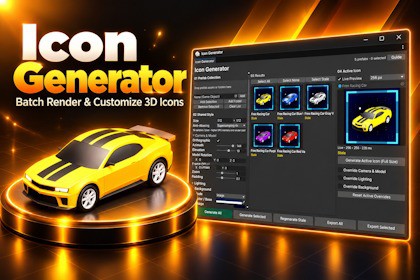
Icon Generator - Batch Render & Customize 3D Icons
AxIxR
$13.19
$26.39
50%OFF
(no ratings)
Jump AssetStore
Create consistent prefab icons with live previews, customizable lighting, backgrounds and batch export. Supports Built-in, URP and HDRPIcon Generator turns your prefabs into polished inventory icons, item thumbnails and UI images directly inside the Unity Editor.Build a collection of prefabs, define a shared visual style and generate matching icons in batches. Adjust camera angles, model rotation, lighting and backgrounds while an optional live preview shows your changes.Customize individual icons with local camera, lighting and background overrides. Save reusable style presets to keep your collections consistent across future sessions.Features include:Batch generation from prefab assets and project folders.Automatic framing for nested MeshRenderer and SkinnedMeshRenderer hierarchies.Orthographic and perspective cameras.Adjustable key light, fill light, ambient lighting and shadows.Transparent, solid-color, gradient and image backgrounds.Foreground image overlays with positioning, rotation, scale and opacity controls.Optional 2x and 4x supersampling for smoother rendered edges.PNG and JPG export with a single conflict-handling choice per export.Automatic detection of results that need regeneration.Rendering takes place in a temporary scene using copies of supported geometry. Source prefabs, materials and meshes remain unchanged.Unity compatibility: Unity 2022.3 LTS and newer.Render pipelines: Built-in, Universal Render Pipeline and High Definition Render Pipeline.Validated versions: Unity 2022.3 with URP/HDRP 14 and Unity 6.3 with URP/HDRP 17.Editor-only: No runtime components or runtime overhead.Dependencies: No mandatory render pipeline package. HDRP integration compiles automatically when HDRP 14 or newer is installed.Input: Prefab assets, including model prefabs, with active MeshRenderer or SkinnedMeshRenderer components.Geometry: Supports nested hierarchies. Skinned meshes use their saved pose; animation is not played. LOD groups use their first LOD.Output resolution: Independently configurable width and height, from 32 to 2048 pixels.Anti-aliasing: Off, 2x supersampling or 4x supersampling. Final output dimensions remain unchanged.Live preview: Optional reduced-resolution preview with maximum edges of 128, 256 or 512 pixels.Export formats: PNG with transparency and JPG with adjustable quality and transparency flattening.File naming: Configurable prefix and suffix. Existing files can be replaced or preserved by creating numbered copies.Persistence: Working settings and collection are saved between sessions. Generated image cache is stored in the Library folder.Included: Example prefabs, a demo shader, an overlay image and an English usage and modification guide.Materials must be compatible with the active pipeline; automatic material conversion is not included. Shadows require compatible materials and source renderer settings. No ground plane is generated automatically.Particles, trails, terrain, runtime-generated geometry and animation playback are not supported. Custom shaders using refraction, additive blending or external scene data may require separate validation. Higher resolutions and supersampling increase rendering time and temporary memory usage.AI Code Assistant

