




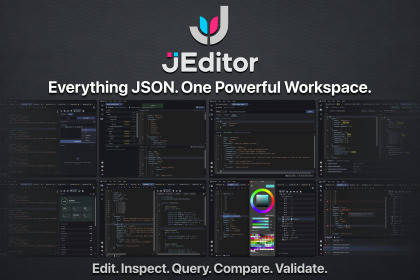
JEditor - The Complete JSON Workspace for Unity
Divinity Codes
$13.08
$18.69
30%OFF
(no ratings)
Jump AssetStore
A professional JSON workspace for Unity. Edit, inspect, query, compare, validate, and manage game data without leaving the Unity Editor.JEditor brings a complete JSON workflow directly into Unity.Stop switching between external editors and Unity just to inspect or modify game data. JEditor provides a focused workspace for editing, understanding, searching, validating, and working with JSON files directly inside your development environment.From simple configuration files to large game-data structures, JEditor gives you the tools to understand your data quickly and make changes with confidence.Key highlights:Professional JSON editing experiencePowerful Search and Query toolsVisual Tree View and InspectorLive C# interaction with your JSON dataJSON validation and Health analysisVersion Control for your document historySide-by-side JSON comparisonSchema validationHTTP tools for working with JSON APIsIntegrated Errors and OutputDesigned specifically for Unity developersJEditor turns JSON from a plain text file into something you can actively explore, understand, debug, and work with.Third-Party NoticesJEditor includes third-party libraries and custom assets. Their licenses and attribution details are provided in Third-Party Notices.txt, located at DivinityCodes/JEditor/Third-Party Notices.txt.JEditor provides a complete document-centric JSON workflow built around a shared JSON representation.EditorCustom JSON text editorSyntax highlightingLine numbersDiagnostics and inline errorsSource navigationFormatting and editing toolsLarge-document focused editing workflowSearch & QueryInstant text search across the current documentResult navigation directly to source locationsVisual query builderC# LINQ-based queriesJSON-aware query suggestionsQuery compilation and inline diagnosticsExecuted query result navigationTree ViewHierarchical JSON structureObject and array navigationEditable properties and valuesType-aware editingJSON path navigationSource synchronizationInspectorContextual JSON property inspectionEditing of strings, numbers, booleans, nulls, objects, and arraysProperty managementJSON path and source informationLive C#Execute C# against the current JSON documentRoslyn-powered editing experienceSyntax highlightingIntelliSense and diagnosticsGenerated/inspected C# representations where supportedHealthJSON statisticsStructural analysisPotential data-quality issuesDuplicate and inconsistent structuresDeep nesting and other useful findingsDirect navigation to relevant source locationsVersion ControlPersistent document historyMeaningful change groupingHistorical previewsCompare historical versionsRestore previous versions without destroying the existing historyCompareSide-by-side JSON comparisonSemantic difference detectionAdded, removed, changed, and type-changed valuesSource navigation between differencesSchemaJSON Schema editingDocument validationValidation results with source navigationSchema and target document workflowHTTPPrepare and execute HTTP requestsWork with JSON responsesOpen received JSON directly in JEditor documentsOutput & ErrorsDocument-specific execution outputCompiler and parser diagnosticsCentralized error reportingDirect navigation from diagnostics to sourceAnd Much More!Supported OS: Windows / macOSLink to documentation: https://divinitycodes.deThe architecture and core systems of the asset were designed and developed by the developer. AI-assisted tools were used during the development of some individual features and supporting code.

