




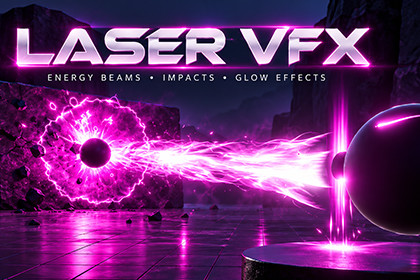
Laser Beam is a ready-to-use energy laser effect for URP. A cannon charges up, fires a thick, swirling plasma beam.Everything is built with Shader Graph and standard Shuriken particle systems, so it is easy to read, edit and recolour, and it runs anywhere URP runs — no VFX Graph or compute shaders needed.Complete laser sequence — Charge → Fire → Stop with smooth beam ramp-in / fade-out.Volumetric beam — layered tube beam with flowing strands, twist, wobble and muzzle/end flares.Black-hole impact — void sphere, crater, energy splash, radial spikes, flames, shards, shockwave rings and disc, electric arcs and heat distortion.Physical debris — sparks and stones collide, bounce on the ground and fade out.Burn footprints — scorch marks are left along the beam's path, glow hot, then cool to black and fade.Aim and follow — the beam raycasts every frame; the impact sticks to any collider and turns to face each surface.5 ready-made prefabs — Arcane, Fire, Electric Blue, Toxic Green, Solar Gold; each one is a complete effect.13 Shader Graphs with clearly named, exposed properties for colour, speed, intensity and shape.Showcase demo — keys 1–5 show and fire each effect; keyboard-controlled cannon, on-screen buttons, trailer-style cinematic camera and camera shake.Script API + UnityEvents — Charge(), Shoot(), Stop(), AimAtWorldPoint(), onFire / onStop events.One-click setup — GameObject → Effects → Volumetric Laser.Unity versionUnity 6000.3 or newer (developed and tested on 6000.3.17f1)Render pipelineURP 17.3+ — Universal Render Pipeline onlyBuilt-in Render PipelineNot supported (materials will appear pink)HDRPNot supportedShader GraphIncluded with URP — no extra installVFX GraphNot requiredInputInput System package (com.unity.inputsystem); Active Input Handling = Input System or BothUI (demo only)uGUI (com.unity.ugui)PlatformsAny platform supported by URP. Tested in the Unity Editor on macOS. For mobile, see Performance.ScriptingC#, namespace VolumetricLaserSG, own assembly definitions.Recommended URP settings: HDR enabled, Post Processing enabled on the camera, a Volume with Bloom, and Opaque Texture enabled.

