




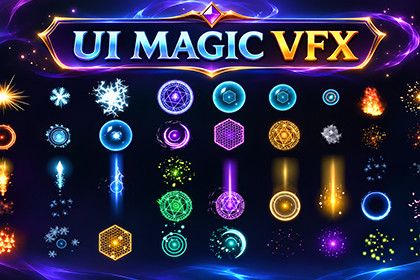
60 effects with matching 2D and 3D variants for combat, magic, rewards, ambient scenes and UI feedback.Quick start1. Import StylizedMagicVFX.unitypackage using Assets > Import Package > Custom Package, or download and import it through Unity’s Asset Store package interface. Import all dependencies.2. Open Assets/StylizedMagicVFX/DemoScene/Demo2D.unity or Demo3D.unity and enter Play mode.3. Drag a prefab from Prefabs/2D or Prefabs/3D into your scene. Use VFXPlayer to play, stop, tint or adjust intensity, speed and density.4. For Canvas UI, add VFXUIEffect to a child RectTransform and assign a 2D prefab. Set the rectangle size and enable Fit To Rect.One-shot effects can disable themselves when finished. Stop looping effects explicitly. Use VFXPool for repeated spawning and handle a null result when the pool is full. Duplicate shared materials before editing them.If an effect is pink, check shader errors and pipeline setup. If it is invisible, check camera layers, scale and active parents. See Documentation.pdf for setup, scripting, UI, pooling and troubleshooting.CompatibilityIntended for Unity 6+. Includes Built-in, URP and HDRP shader paths, 2D and 3D prefabs, and uGUI Canvas support. Unity UI is required by the UI scripts. Configure URP or HDRP in your project when using that pipeline. Exact Editor releases and device builds require project testing; runtime compatibility has not been independently verified for this guide...Textures size: 512x512, 1024x1024,256x256,2048x2048

