




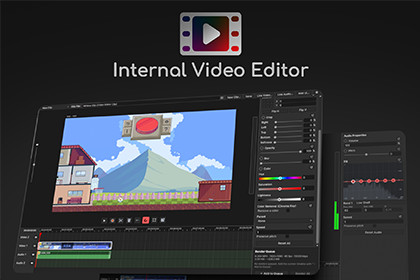
Edit and export video, images, and audio on a multi-track timeline — without leaving the Unity Editor.Internal Video Editor is a complete non-linear video editor that runs inside the Unity Editor. Cut, grade, and export your footage without going to an external app.Built for developers who record gameplay — dev logs, clips for socials, trailers, and store marketing. Drop your recordings onto a multi-track timeline, trim and arrange, grade the color, key out a green screen, animate with keyframes, mix and EQ the audio, then export an MP4. All in one window, without leaving your project.Type: Unity Editor extension (Editor-only tool — produces video files; does not run at runtime or ship in a game build)Platform: Windows 10 / 11, 64-bit Editor only. Requires a native x86_64 plugin built on Windows Media Foundation.Unity versions: 2022.3 LTS or newer. Verified on Unity 2022.3, Unity 6000.0, and Unity 6000.3.Render pipelines: Built-in, URP, and HDRP. All image processing runs through offscreen Graphics. Blit passes and never participates in scene rendering, so the tool is pipeline-independent.Dependencies: None. No other Asset Store packages required, and no packages beyond Unity's built-in modules.Package contents: 8 C# scripts (~22,400 lines, full source included), 2 blit shaders, 1 USS stylesheet, 9 editor icons, 1 native plugin (VideoEditorEncoder.dll, x86_64, Editor-only), user guide and license files. Download size: ~653 KB. All code is under the VideoEditor namespace.Supported inputVideo: .mp4, .mov, .m4v, .mkv, .webm, .avi, .wmv (any format Windows Media Foundation can decode)Audio: .wav, .mp3, .m4a, .aac, .ogg, .flac, .wma, .aiff, .aifImages: any texture or sprite Unity can import (PNG, JPG, TGA, PSD, EXR, TIFF, BMP)Media can be imported into the project or linked by file path without importingExportMP4 / H.264 via Media Foundation — works out of the box, no downloadsMOV container, H.265, and exact target bitrate via optional FFmpeg (free, LGPL, downloaded on first use, not bundled)Output resolution 16–8192 px per axis (even dimensions); batch Render Queue with per-job timeline snapshotsThird-party softwareFFmpeg — optional, not bundled, LGPL v2.1+ (FFMPEG_NOTICE.txt)Signalsmith Stretch / Linear — bundled, MIT, used for audio pitch and time-stretch (THIRD-PARTY-LICENSES.txt)Documentation: USER_GUIDE.md included; credits and links also under Settings ▸ About / Credits in the editor window.Parts of this asset's source code were written or modified with an AI coding assistant, under the publisher's direction. The publisher specified, reviewed, tested, and integrated all code and is responsible for the asset's design and behavior. The package ships with an automated EditMode test suite and passes Unity's Asset Store Tools validator.No AI-generated content is included beyond source code. All artwork, icons, screenshots, trailer footage, and documentation are the publisher's own original work.

