




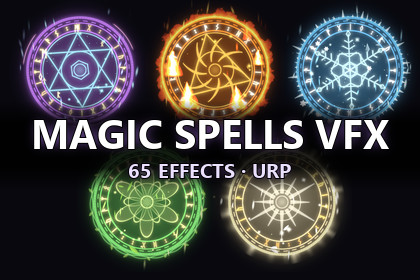
65 stylized magic spell VFX for URP: 13 effects (projectile, beam, nova, shield, portal, slash and more) in 5 elements – Fire, Frost, Arcane, Holy and Nature. Drag-and-drop prefabs.Bring your spells to life with 65 ready-to-use magic effects: 13 effects × 5 elements.Every effect is a drag-and-drop prefab built with Unity's Particle System and lightweight custom shaders. No third-party packages are required.★ 13 EFFECTSCast Circle · Charge · Projectile · Impact · Nova · Slash · Beam · Shield · Aura · Buff · Teleport · Portal · Pickup★ 5 ELEMENTS, EACH WITH ITS OWN LOOK• Fire – procedural flames, embers, molten shield with magma cracks• Frost – snowflake circles, ice shards, faceted crystal shield, cold mist• Arcane – hexagram runes, orbiting orbs, star field, galaxy portal• Holy – sunburst circles, god rays, feathers, radiant light beam• Nature – vine circles, tumbling leaves, glowing spores, spiral vine portal★ GAMEPLAY-READY SCRIPTS• MagicProjectile – launch at a target, automatically spawns the matching impact• MagicBeam – stretch to a length or follow a target every frame• MagicVFXAutoDestroy – destroy or disable when finished (object pool friendly)• MagicVFXFloat – bobbing motion for pickups★ EASY TO CUSTOMIZE• HDR colors on every material – make new color variants in minutes• Procedural shaders with an Element switch, noise, dissolve and more• Scale any effect from its Transform (Hierarchy scaling)★ INCLUDED• 65 prefabs• 8 custom shaders• Demo scene: cycle through every effect and cast it with the mouse• Gallery scene: all 65 effects in one grid• Full documentationWorks with the URP 2D Renderer and Universal Renderer, so it fits 2D, side-view and top-down games. Bloom is recommended for the best glow.• Render pipeline: URP only (2D Renderer and Universal Renderer)• Unity 6 (6000.0) or newer – tested on 6000.3• 65 prefabs (13 effects × 5 elements)• 8 custom unlit shaders (HDR, premultiplied, additive or alpha blending)• 15 textures• Particle System based – no VFX Graph, no compute shaders• Effects authored in the XY plane (2D / side view); rotate 90° on X for top-down 3D• Demo scenes support the Input System and the legacy Input Manager• C# scripts in the MagicVFX namespace, with assembly definitions• Documentation included (Documentation/MagicVFX_Documentation.md)I have used AI to create a scripts demo scene for a VFX.

