




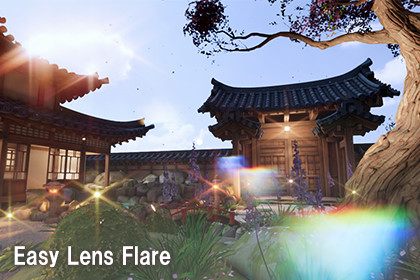
This is a simple lens flare post-processing tool.It can be used for a wide range of applications, both 3D and 2D.Easy LensFlare – FFT Convolution Bloom & Lens Flare for URPEasy LensFlare is a post-processing asset for URP that adds realistic, physically-inspired lens flares to your scene in just a few clicks.Instead of using sprite-based flares, Easy LensFlare uses FFT (Fast Fourier Transform) convolution bloom. It builds the starburst pattern from the shape of a camera aperture, so the glare around bright lights looks like it came from a real lens.Key FeaturesFFT Convolution Bloom: GPU compute shaders run the FFT/IFFT, so the bloom is a true convolution and not a blur approximation.Adjustable aperture shape: Choose 3–10 aperture blades and rotate the shape to change the starburst pattern.Ghosts & Halo: Separate intensity controls for lens ghosts and halo.Chromatic aberration: Adds color fringing to the flare spectrum for a more natural lens look.HDR threshold: Only pixels brighter than the threshold create flares.Volume-based workflow: Every parameter is a Volume override, so you can blend settings between areas and animate them.Quality switch: Choose High Quality (1024 kernel) or Performance (256 kernel) in the Renderer Feature.Render Graph support: Supports the Unity 6 Render Graph, with a fallback for earlier URP versions.Demo scene included: Shows a ready-to-use setup.ParametersBlade CountThresholdIntensityGhost IntensityHalo IntensityRotationChromatic Aberration ScaleHow to UseOpen your URP Renderer asset.Click Add Renderer Feature and add Convolution Bloom Render Feature.Add a Volume to your scene and add the override from Add Override > Post-processing Custom.Raise Intensity above 0 to turn on the effect.RequirementsUniversal Render Pipeline (URP)Compute shader support on the target platformAn HDR camera is recommendedPackage ContentsC# scripts (Volume component, Renderer Feature, Render Pass)FFT / IFFT compute shaders and supporting shadersDemo scene and materialsDocumentation (English / Japanese)Number of Scripts: 3Number of Shaders: 12Supported Development Platform: Windows

