







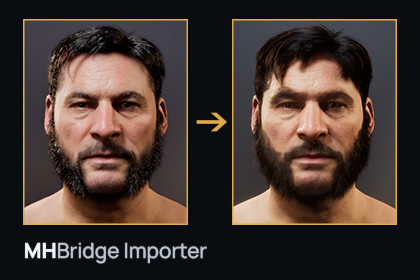
Bring MetaHuman characters from Unreal Engine into Unity without reducing them to static meshes. Keep the authored face and body behavior and continue working with familiar Unity tools.- Read the documentation- Check the demo (Windows)➤ Complete character import- Import a complete DCC export as one `.dcc` asset, or import individual `.dna` files.- Build the Humanoid or Generic Avatar, LODs, HDRP materials, compact runtime DNA, and configured prefab.➤ Live OpenRigLogic evaluation- Evaluate facial joints, blend shapes, body correctives, and animated wrinkle maps at runtime.- Apply the result over the current Unity Animator pose.- Skip evaluation when the character is not visible.➤ Animation-ready workflow- Play facial takes exported from Unreal Engine through the standard Unity Animator.- Use retargeted body animation with corrective joints and authored root motion.- Convert recorded Live Link Face CSV takes into standard Unity `AnimationClip` assets.- Combine face and body motion with Animator Controllers, blend trees, Timeline, and Avatar Masks.➤ HDRP and URP character materials- Generate skin, eye, eyelash, teeth, and supporting materials.- Preserve per-region animated wrinkle normal and color maps.- Extract generated materials and processed textures as editable Unity assets.➤ Hair and outfit tools- Build strand grooms with bone attachment or skin attachment for facial hair.- Configure hair materials, colors, cards, and LOD behavior.- Bind skeletal outfits and their LODs to the animated character.- Hide covered body geometry with a reversible material mask or an edit-time geometry cut.➤ Direct facial posing- Pose the imported face with the included UI Toolkit Face Board.- Use the same board in an Editor window or a runtime panel.⚠️ MHBridge Importer does not include MetaHuman characters, DNA files, meshes, or textures. Export and use your own content under the applicable Epic Games terms.

