




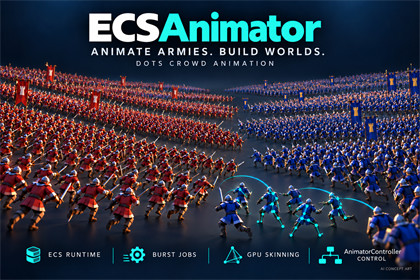
AnimatorController-driven ECS crowds with Burst animation, GPU skinning, independent LOD and optional two-bone IK. Includes 14 theme demos and an English manual.Author with AnimatorController. Animate with ECS.Build animated crowds with a familiar authoring workflow. ECSAnimator converts a saved character Prefab and one selected AnimatorController into an EntityDesc asset. Prepare the descriptor once, spawn ECS characters, and drive animation through public gameplay APIs. Burst jobs evaluate animation; GPU skeletal skinning and Unity Entities Graphics handle rendering.BUILT FOR CROWDS• Shared character resources, batch spawning and Jobs animation input.• GPU skinning without an Animator and bone GameObject hierarchy on every spawned character.• Independent model LOD and animation evaluation intervals.• Per-instance faction tint using shared materials and the included clothing-mask setup.KEEP YOUR ANIMATION WORKFLOW• Float, Int, Bool and Trigger parameters.• States, transitions, exit time, interruption, Any State and sub-state machines.• Five Blend Tree types, including nested trees.• Override and Additive layers, bone AvatarMasks, layer weights, Sync and Timing.• State speed, cycle offset, motion time, Write Defaults, Humanoid mirror sampling and a direct AnimatorOverrideController.CONVERT OFFLINE. LOAD ONE DESCRIPTOR.Open Tools > ECSAnimator > Convert Character, assign a saved Prefab, inspect the preview and build. The generated *_EntityDesc.asset contains compiled animation and derived meshes/materials. Textures and Shaders remain referenced dependencies. Load the descriptor, call TryPrepare to obtain a CharacterPreparedAsset, then TrySpawn or TrySpawnBatch. Use the Controller's exact parameter names, layer names and exported state paths. Release prepared resources before unloading their dependencies.CONNECT YOUR GAMEDrive parameters, triggers, layer weights, Play and CrossFade through main-thread or Jobs batch APIs. Request tokens, receipts and animation events connect animation to your gameplay. Author named bone sockets, build supported fixed accessories, or bind independently loaded rigid ECS equipment. Gameplay owns movement, AI, navigation, equipment swaps and cleanup.OPTIONAL TWO-BONE IK• A static Burst pose processor can adjust skeletal poses after Animator blending and before skinning/sockets.• Crossbow Demo14 includes the original Attack example and a new independent Aim Idle scene. A four-second chest-level hold keeps breathing while two arm chains and foregrip following adjust vertical aim.• Default +/-45 degree pitch limit, adjustable strength and a return to original animation when disabled. Body heading, waist and legs retain the source animation.• Enable Require Pose Processing at conversion for LocalResolve data; ordinary characters need no processor. This is an explicit ECS API, separate from Unity Animator IK callbacks.INCLUDED• Character conversion tools, runtime integration APIs and ECSAnimator/Lit for URP.• Quick Start and 14 theme scenes: Crowd/Triggers, Battle, Layer blending, State parameters, Blend Trees, Transitions/Interruption, Sub-State Machines, Layer Sync, Override Controller, Write Defaults, Modular Equipment, LOD, Generic creatures and Two-Bone IK. Merged scenes expose related examples through pages. The optional independent Aim Idle adds a separate scene, clip, Controller, Prefab and EntityDesc without changing the original demos (15 scene files in total).• TownGuard, CrossbowGuard, ArmoredCrawler and CaveBat example assets with prebuilt EntityDesc data.• English installation, conversion, loading, animation, attachment, Shader and API documentation.CURRENT DEMONSTRATIONSThe new October 7 Aim Idle IK video is a 20-second Unity 2022.3.62f1 / D3D11 capture: level, low and high targets, angle clamping and IK disabled. The new Crossbow_AimIdle animation loops continuously with subtle breathing; no Attack trigger or frozen frame is used. The red target and shot ray are included in the demo; the ray starts at the central bolt rail and follows its actual direction. Clamped or disabled IK can visibly miss the target. English labels explain the comparison.The October 4, 2026 crowd video shows 2,500 characters, updated four-second breathing Idle clips, the revised sword stance, Death Trigger and return to Idle. It was captured in Unity 2022.3.1f1 / Direct3D 11 at 1920 x 1080, fixed 30 FPS, for 24 seconds. Recording frame rate is not a performance benchmark or a maximum-capacity guarantee. The retained 30-second Battle video is earlier September 29 footage recorded in Unity 2022.3.62f1. The Battle sample demonstrates integration, not a complete RTS or navigation framework.The EntityDesc and Controller/equipment/LOD images are workflow diagrams. The IK feature image is an annotated layout of actual Unity captures. The illustrated icon, card and cover are promotional concept art, not measured crowd tests. See the AI disclosure and Technical details for scope and limitations.Demo UI includes Liberation Sans under SIL OFL 1.1 and TextMesh Pro resources under the Unity Companion License. See Documentation~/third-party-notices.md and the accompanying license files. Unity registry dependencies retain their own licenses.IK demonstration and guide: https://masternin.pages.dev/ik.htmlEnglish manual: https://masternin.pages.dev/manual/index.htmlSupport: d3luning@gmail.comCOMPATIBILITYPreview package: com.asterism.ecsanimator 0.1.0-preview.1.Minimum declared Unity: 2022.3.1f1. The independent Aim Idle scene passed eight-stage animated checks in Unity 2022.3.1f1 and 2022.3.62f1, covering the central-rail launch geometry, full 3D aim, foregrip, pitch limit, partial strength, disabled restoration and unchanged waist/feet. The new 20-second video was recorded in Unity 2022.3.62f1 / Direct3D 11 with the new four-second chest-level Aim Idle continuously playing. These scoped checks are not full platform qualification. The October 4 crowd recording uses 2022.3.1f1; the retained September 29 Battle recording uses 2022.3.62f1. Historical performance measurements on 2022.3.45f1c1 are separate.Render pipeline: URP 14 with the supplied ECSAnimator/Lit shader. Built-in and HDRP rendering paths are not supplied.Demonstrated environment: Windows x64 / Direct3D 11. Android Vulkan, iOS Metal and Windows D3D12 source paths do not constitute completed device qualification. Unity 6, WebGL, OpenGL/GLES and XR/stereo are not qualified.PACKAGE DEPENDENCIESEntities and Entities Graphics 1.0.10; Burst 1.8.4; Collections 2.1.4; Mathematics 1.2.6; URP 14.0.8; TextMesh Pro 3.0.6; Test Framework 1.1.33 and required Unity modules. These are Package Manager dependencies, not paid Asset Store dependencies.CAPACITY AND SETUP• Up to 8 total layers including the base layer, 1,024 motion nodes per graph, 16 nesting levels and 32 active contributions per instance. Transitions also consume contribution capacity.• Up to 256 bones per skeleton and 6 bone influences per vertex.• Up to 8 graphics levels in one supported enabled LODGroup; LOD cross-fade is not supported.• Source meshes need read/write access, valid skinning/bind poses, triangle topology and Position/Normal/Tangent/UV0 streams.• URP and SRP Batcher; retained BatchRendererGroup/DOTS shader variants; GPU instancing and AsyncGPUReadback; one active Game camera tagged MainCamera, display 1, without a target RenderTexture.IK AND POSE PROCESSING (PREVIEW)Enable Require Pose Processing during conversion and check prepared.SupportsPoseProcessing. CharacterPoseProcessor invokes a static Burst function with per-character unmanaged data after blending and before skinning/sockets. Direct Root -> Mid -> Tip chains accept root-space targets, hints, rotations and weights. Compact MatrixInline2 data cannot be promoted at runtime.Crossbow Demo14 derives vertical pitch from target height and forward distance. Default limit +/-45 degrees; sideways target movement does not turn the character. Body heading, waist and legs remain animated. Partial strength produces partial correction; out-of-range targets are clamped. The original Attack scene retains Hold Aim Pose at phase 0.25. The separate Aim Idle scene instead loops continuously and follows Enable arm IK and IK strength, with its own clip and generated resources. The shot ray starts at the central bolt rail and follows the actual weapon direction; AimError is the full 3D angular error. No whole-body IK or automatic terrain adaptation is supplied.The new Aim Idle authors the launch rail along character-forward (+Z), keeping its horizontal heading aligned with the character. It applies vertical pitch without runtime muzzle-yaw compensation, while accounting for the muzzle's positional offset from the shoulder pivot.Callbacks follow animation LOD and must not retain temporary pointers, invoke managed logic, change ECS structure or depend on another character's current-frame pose. Algorithm and dispatch costs require project-specific profiling.FEATURE BOUNDARIESRoot Motion, Unity Animator IK Pass / Foot IK / OnAnimatorIK and StateMachineBehaviour callbacks are omitted with diagnostics. Programmatic LocalResolve pose processing is supported separately; this is not automatic conversion of Unity IK settings. Movement and callbacks must be implemented by game systems. BlendShapes and non-skeletal curves, including material, visibility and object-reference animation, are outside conversion scope and may be rejected.Colliders, Rigidbody, NavMeshAgent, AudioSource, arbitrary MonoBehaviours, Cloth and runtime rig constraints are not automatically converted into equivalent ECS behavior. Humanoid conversion targets the selected Avatar and does not provide runtime retargeting.Per-instance Light Probes, transparent materials and arbitrary extra geometry passes are not supported.Independent equipment binding supports a single rigid root without Parent, child render hierarchies or SkinnedMeshRenderer; shared batches and rendered Player/device qualification are not guaranteed.SHADERS AND PREVIEW STATUSIncluded Lit supports normal maps, alpha clipping, lighting, shadows and optional motion vectors. External HLSL and Shader Graph adaptation are Preview / NeedsVerification, require integration and target-Player testing, and do not make arbitrary third-party shaders automatically compatible. The external Shader Graph path has an unresolved URP/Metal compilation issue.Full release/platform qualification remains separate from the shown demonstrations. Intermittent Unity 2022.3.1f1 / D3D11 native crashes remain under investigation; neither their cause nor a fix has been established. The release retains the original Burst 1.8.4 dependency baseline. Successful functional checks do not establish that this issue is resolved. Historical Development Player shutdown logs included GraphicsBuffer finalizer and persistent-allocation warnings. Video recording frame rate is not a performance benchmark; no universal FPS or maximum crowd capacity is promised.KNOWN SAMPLE WARNINGThe included demo renderer can emit an Entities Graphics recommendation to use URP Forward+. Crowd2500 and the LOD sample remained functional in the clean Unity 2022.3.1f1 / D3D11 check. For best compatibility, Unity recommends selecting the demo Universal Renderer Data asset and setting Rendering Path to Forward+. This warning is also recorded in the Demos README; it is not presented as a confirmed Unity defect.DOCUMENTATION AND STARTUPIncluded documentation: Documentation~ (English user manual, conversion/integration guides, dedicated IK guide and API reference). 14 main theme scenes, 01–14, plus the independent Aim Idle scene (15 scene files); historical Resources keys stay unchanged. Imported samples are project-owned copies and must be refreshed separately after preserving local edits. This October 9 build keeps package version 0.1.0-preview.1; compare delivery dates and hashes when upgrading.Asset Store installation: Window > Package Manager > My Assets > Download > Import. For a local .unitypackage, use Assets > Import Package > Custom Package. Keep all package files selected and wait for dependency resolution and compilation. The package is installed under Packages/com.asterism.ecsanimator. Select In Project > ECSAnimator > Samples > Demos > Import, then Tools > ECSAnimator > Demos > Use Demo Render Settings. Open and play a demo. Add package from tarball is only for a separate UPM .tgz distribution; do not rename a .unitypackage. For your own character, begin with a compatible material and a simple Idle/Move Controller.English manual: https://masternin.pages.dev/manual/index.htmlSupport: d3luning@gmail.comOpenAI Codex assisted with C# and shader implementation, refactoring, debugging, validation scripts, documentation, store copy and edits to demo animation resources. The publisher created the TownGuard and CrossbowGuard models, textures and animations using Blender. The additional Crossbow_AimIdle clip was authored in Unity with Codex-assisted skeletal posing scripts and Humanoid animation curves, using those existing character and grip references; no purchased or downloaded character pack is included. The assets were integrated into the example scenes, material and LOD setup, and the ECSAnimator conversion workflow. Demonstration videos and the crowd poster are Unity project captures. OpenAI image generation produced the marketing icon, card and cover, followed by human-directed composition, color and typography revisions. These illustrations are promotional concept art, not measured crowd tests. Workflow diagrams describe the implemented authoring/runtime process. The code and samples were iterated and checked through compilation, clean-project import and scene validation. ECSAnimator does not require an online AI service at runtime.

