




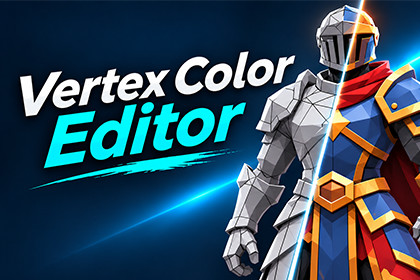
Vertex Color EditorVertex Color Editor is a Unity Editor tool for painting and editing vertex colors directly on 3D models without switching to external modeling software.Designed for artists, game developers, and creators of stylized or low-poly assets, it provides precise vertex and face selection, interactive brush painting, color palettes, and tools for editing both static and skinned meshes.Key FeaturesVertex & Face Selection — Select individual vertices or polygons for precise color editing.Brush Painting — Paint directly in the Scene View with adjustable radius, strength, falloff, and spacing.Smooth & Flat Colors — Create smooth color transitions or sharp polygon-based color regions.Advanced Selection Tools — Box Selection, Select Connected, Select by Angle, Grow/Shrink Selection, and visibility controls.Color Palettes — Save and reuse colors for consistent results.Skinned Mesh Support — Work with rigged characters in Bind Pose or Current Pose.Color Preview — Preview vertex colors while editing in the Unity Scene View.Mesh Saving — Save edited meshes as reusable assets.Undo & Redo — Easily correct painting and selection operations.Render Pipeline SupportCompatible with Unity Built-in Render Pipeline, Universal Render Pipeline (URP), and High Definition Render Pipeline (HDRP).The package includes ready-to-use vertex color Shader Graph materials for URP and HDRP.Who Is It For?Vertex Color Editor is particularly useful for low-poly and stylized characters, props, environments, and other 3D assets that use vertex colors.Please Note: The 3D characters, weapons, and environment assets shown in screenshots and promotional videos are for demonstration purposes only and are not included in this package.CompatibilityDeveloped and tested with Unity 2022.3.62f3.Supports Built-in Render Pipeline, URP, and HDRP.URP and HDRP Shader Graph materials tested with package version 14.0.12.Editor extension; painting and editing are performed inside the Unity Editor.PaintingVertex color editing using Mesh.colors32.Vertex and Face selection modes.Smooth Color and Flat Color painting.Brush with adjustable Radius, Strength, Falloff, and Spacing.Brush radius shortcuts: [ and ].Color Palette with reusable swatches.SelectionClick and Box Selection.Select Connected and Select by Angle.Grow and Shrink Selection.Through and Visible Only selection options.Mesh SupportMeshRenderer and SkinnedMeshRenderer.Bind Pose and Current Pose editing.Save Mesh as a separate asset.Undo/Redo support.RenderingScene View Color Preview for Built-in, URP, and HDRP.Included URP Lit and HDRP Lit Shader Graph materials.Game View vertex color rendering requires a compatible material or shader.No ready-made Built-in Game View vertex color material is included.DocumentationEnglish and Russian user guides included.No demo models or demo scenes included.AI-assisted tools (OpenAI ChatGPT) were used during the development of this Unity Editor extension to assist with C# code generation, debugging, and implementation of editor functionality.The tool's functionality was iteratively developed, tested, and refined in Unity 2022.3. The developer manually reviewed the results, tested the selection and vertex painting features, identified issues, and guided the implementation of fixes and improvements.The final package contains functional Unity Editor scripts, shaders, and documentation.

