




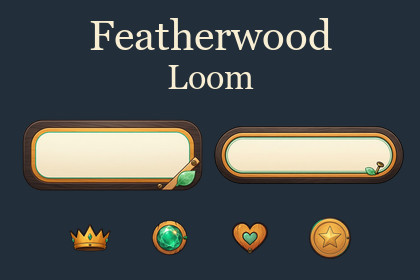
Featherwood Loom — Wooden UI & 55 Action Icons
Afaque Ahmed Khan
$21.99
(no ratings)
Jump AssetStore
Woodland-style UI with 55 action icons, six button shapes, interactive controls, five visual states, 67 prefabs and six demo scenes for Unity uGUI.Tested with Unity 6000.5.6f1 using the Built-in Render Pipeline and URP 17.5.0, Gamma color space, Unity UI (uGUI) 2.5.0, and the Legacy Input Manager/StandaloneInputModule.Validation was performed on Windows x64 at landscape, portrait and tablet-shaped resolutions. Mobile device builds, HDRP, Linear color space, other Unity versions and Input-System-only configurations have not been verified.Featherwood Loom brings warm wood, cream button faces and jade accents to game menus and settings screens. Its coordinated buttons, controls and action icons suit cozy games, casual adventures and woodland-themed interfaces.Build your interface with:• Six button shapes: rectangle, pill, tab, round, square and hexagonal.• 55 action icons covering navigation, settings, inventory, audio, saving and common game actions.• Interactive sliders, toggles, checkboxes, exclusive radio groups and three-part segmented controls.• Normal, Highlighted, Pressed, Selected and Disabled visual states.• 67 ready-to-use prefabs and six demonstration scenes.Customize labels and component settings in the Unity Inspector, then connect the controls to your own game logic. The demonstrations show button families, visual states, interactive controls, sizing, the icon collection and an example menu.The package contains 375 transparent PNG sprites, including state variants. These represent 68 original designs plus seven derived control compositions.The illustrated frames preserve their proportions when resized. This is a fixed-proportion UI collection; unrestricted width stretching and nine-sliced frames are not included. Artwork is supplied as raster PNGs, without layered painting or vector source files.Example menu actions are demonstration hooks. Connect inventory, purchasing and other game-specific behavior to your own systems.Setup instructions, compatibility information and sizing guidance are included.CONTENTS• 375 transparent PNG sprites, including five visual states.• 55 unique action icons.• Six button shapes, seven control masters and seven derived control compositions.• 67 prefabs.• Six demo scenes.• 11 runtime C# scripts and three editor utilities.TEXTURE SIZES — UNITY EDITION• Action icons: 256 × 256 px.• Rectangle button: 774 × 320 px.• Pill button: 840 × 269 px.• Tab button: 683 × 280 px.• Round button: 340 × 338 px.• Square button: 339 × 340 px.• Hexagonal button: 376 × 420 px.• Checkbox: 260 × 259 px.• Radio: 260 × 257 px.• Segmented controls: 820 × 225 px.• Slider track: 1057 × 150 px.• Slider and toggle knobs: 240 × 239 px.• Toggle track and composed toggle states: 714 × 190 px.FORMAT AND BEHAVIOR• Raster PNG artwork with transparency.• Five states: Normal, Highlighted, Pressed, Selected and Disabled.• No animation clips or skeletal animations are included. Interaction uses C# components and sprite changes.• Fixed-aspect artwork using Simple UI Images with zero slice borders.• Bilinear filtering, uncompressed textures and mipmaps disabled.• Editable UI labels and event connections.REQUIREMENTS AND TESTING• Tested Unity version: 6000.5.6f1.• UI framework: Unity UI (uGUI) 2.5.0.• Tested pipelines: Built-in and URP 17.5.0.• Tested color space: Gamma.• Input: Legacy Input Manager/StandaloneInputModule.• Tested platform: Windows x64.• No additional Asset Store package dependencies.Qwen-Image generation was used to generate the button, control and icon artwork. Final background cleanup was performed manually using Photoshop and Corel tools.

