




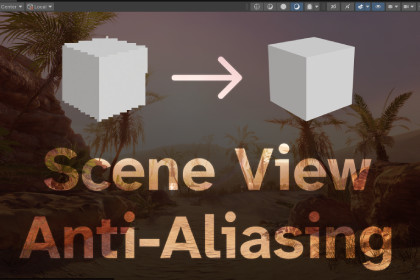
URP Scene View Anti-Aliasing | MSAA | SMAA
Eritar (Iurii Kotlov)
$14.63
$20.90
30%OFF
(no ratings)
Jump AssetStore
Add Anti-Aliasing to the Scene View in URP, porting existing HDRP functionality, and extending it with MSAA support.URP Scene View Anti-aliasingUsageIn the Scene View, click on the camera icon (usually in the top right corner) and select the needed AA option.Brings HDRP's Scene View camera settings to the Universal Render Pipeline. The Scene View Camera overlay gets a Rendering (Universal RP) section with these settings:Anti-aliasing: None, FXAA or SMAAQuality: SMAA Low / Medium / HighMSAA (Experimental): Off / 2x / 4x / 8xStop NaNsSettings persist across editor restarts, and nothing is included in player builds.RequirementsUnity 2022.3 or newer with URP 14+.SetupThe Scene View renders with the default renderer of the active URP asset, and that renderer needs the Scene View Settings renderer feature. If it's missing, the overlay shows a warning with an Add to Renderer button. You can also add it yourself in the Universal Renderer Data inspector (Add Renderer Feature → Scene View Settings).Post-processing must be enabled in the Scene View (Effects toolbar menu → Post Processing), because URP runs anti-aliasing as a post effect.LimitationsNo TAA. URP keeps the camera jitter and history TAA depends on internal, and never sets them up for the Scene View camera.MSAA is experimental. Unlike FXAA and SMAA, which switch on anti-aliasing URP already supports but refuses to use in the Scene View, MSAA here works by changing the camera's target description, which the Scene View was never set up for. It may behave differently on some renderer setups or in future URP versions.Unsupported MSAA levels are greyed out. Not every GPU and texture format combination supports 8x. What this machine supports is detected once per editor session, and the levels it cannot use are disabled in the dropdown with the reason in the entry, rather than being silently swapped for a different level.MSAA needs a Forward renderer. URP does not support MSAA with Deferred rendering. Unity gives the Scene View a single-sampled target, so this setting makes URP render to an MSAA intermediate and resolve into it; MSAA smooths geometry edges only, while FXAA/SMAA also catch shader and specular aliasing. The two can be combined.If your quality levels use different URP assets, add the feature to each asset's default renderer.TroubleshootingIf the settings have no effect, the panel says why: the renderer feature is missing (with a button to add it), the renderer has no Post Process Data, or Post Processing is off in the Scene View's Effects menu.Environment shown is from Unity's URP 3D Sample, available free through Unity Hub, and is not included in this package.Model of the city Full Gameready City Buildings IV [HongKong] is made by abhayexe.Use FXAA, SMAA or MSAA in the scene view in URP.Use Stop NaN from HDRP in URP.AI assisted in porting the functionality that already existed in HDRP, and implemented publicly available MSAA algorithm.Asset Store translations to Chinese, Japanese and Korean were done using AI.

