




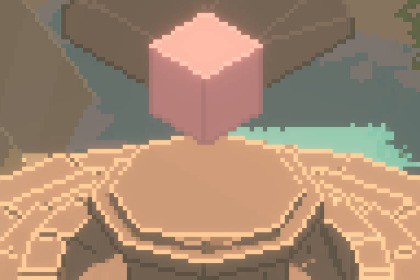
Pixel-perfect 3D camera for URP (Unity 6).
Low-res point-filtered render, grid-snapped camera and objects, smooth sub-pixel motion and no shimmer. Setup wizard, demo scene and full documentation.Compatible with Unity 6 (6000.0) and newer. Requires URP (Universal Renderer); not for HDRP or the Built-in pipeline.**HSP 3D Pixel Camera** gives your 3D game a true pixel-art look in the URP, without the blur, shimmer and crawling pixels you get from simply lowering the resolution.The world is rendered at a low resolution you choose and shown with sharp, evenly sized pixels. The camera and your moving objects are locked to the pixel grid, and a sub-pixel offset keeps camera movement smooth instead of stepped. You can switch the smoothing off for a chunky retro feel.**What you get**• A ready-made camera rig: pan, follow a target, mouse-wheel zoom and 45° orbit. Or drive it from your own scripts with a single FocusPoint.• Render texture zoom: zoom by scaling the visible window of the low-res render texture, so your pixel density and art style stay constant instead of changing as the camera zooms.• Object snapping that does not touch your code: add one component, tick the scripts that move the object, done. Works with character controllers, patrols, physics and NavMesh agents.• Pixel-correct mouse picking and world-to-screen helpers (Unity's own camera functions are don't work for this camera).• UI and sprites on the viewport camera stay crisp at native resolution on top of the pixel-art rendering.• A setup wizard for easy configuration into your project.• A demo scene with a live panel to compare snapping on and off, change the pixel grid and see the result.**Built for Unity 6**Written for URP Render Graph and tested on Unity 6000.0 and 6000.6. Works with the Input System package, the legacy Input Manager, or your own input. Full C# source with assembly definitions and a namespace, so it will not clash with your code.**Documentation**A full technical manual (HTML and PDF) explains how the technique works, with architecture, frame timeline, formulas, API reference, integration guidance and diagnostics.**Good to know**• The render camera is orthographic (isometric, top-down and side-scroller games).• Toon, outline, terrain and water shaders are not included. Only the camera.• It works with any URP material.• Tested on Windows (Direct3D 11 and 12). Other platforms use the same code but were not tested.• Not for the 2D Renderer or XR.• Unity 6 (6000.0 and newer); tested on 6000.0.32f1 and 6000.6.4f1• Universal Render Pipeline 17+, Universal Renderer, Render Graph renderer feature• Low-resolution orthographic render texture with point-filtered up-scaling• Camera grid snapping with sub-pixel smoothing (toggleable), adjustable zoom window• HSPSnapper: object snapping by mirroring movement scripts or by following a transform; Character Controller supported• HSPCameraController: pan, follow with smoothing, zoom, 45° orbit, manual mode• HSPCameraManager API: FocusPoint, SnapToGrid, ScreenPointToRay, WorldToScreenPoint, runtime resolution and zoom• Input System package, legacy Input Manager or custom input provider (IHSPInputProvider)• Setup wizard, custom inspectors with built-in diagnostics, menu items• Demo scene, demo UI panel and prefabs (camera rig, debug canvas)• Full C# source, assembly definitions, HicSuntPixel namespace• No per-frame managed allocations in the package scripts• No warnings or errors from the package at runtime or in builds• Documentation included: HTML and PDF• Verified on Windows, Direct3D 11 and 12HSP 3D Pixel Camera was originally created several years ago for Unity 2022.3. The original algorithm (pixel-grid snapping, sub-pixel smoothing, zoom and object snapping) was designed and coded without the use of AI for a university thesis.AI (Claude) was used to port the package to Unity 6, and to write the documentation.

