




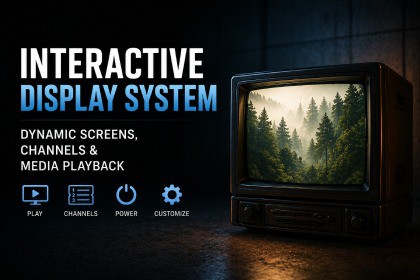
Add working TVs, monitors, and CCTV screens to your scenes. Five display modes, CRT effects, channel switching with static transitions, and a full scripting API.First releaseInteractive Display System turns any mesh or UI RawImage into a working TV screen. It plays slideshows, sprite sequences, GIF-style frame sets and live camera feeds, and the player can flip channels like on a real TV. Channels keep playing while nobody is watching, so switching back shows where the broadcast has got to, not frame one. The static and the CRT power on/off effects are all done in the shader, so you don't need to make any extra textures or videos.To set one up, add the TVScreen component to an object with a MeshRenderer or RawImage, assign some channels and press play. The basics need no scripting.CHANNEL TYPESEach channel is a ScriptableObject set to one of five modes:Frame Sequence: a list of textures played at a set frame rate.Sprite Sequence: a list of sprites, including sprite sheet slices.Texture Grid: all frames packed into one texture in a grid.Render Texture: a live camera feed. Add TVCameraChannel to a camera and assign a channel. The camera is only enabled while its channel is on screen.Static: procedural "no signal" noise, generated in the shader.Frame rate, random frame order and random hold times work on every mode.POWER AND CHANNEL EFFECTSCRT power on/off: the full tube collapse (line, then dot), a simple horizontal line, or none for an instant flat-panel switch. Timing is set with AnimationCurves.Static burst on channel change: adjustable duration, speed and intensity, black-and-white or coloured, with optional audio clips (one is picked at random each switch). Set the duration to zero for instant switching.SCREEN SETTINGSA shared TVScreenSettings asset controls brightness, contrast, saturation, colour tint, CRT barrel distortion, scanlines and letterbox colour. Share one asset across every TV of the same type and change them all at once.ASPECT RATIOS27 presets plus a custom option, set separately for the screen and the content. Stretch, Fit and Fill modes handle any mismatch.GLOW AND LIGHTINGThe screen emission can follow the colour of the current frame. Assign a Point or Spot Light, and it picks up the same colour and intensity, so the TV lights the room.AUDIOPer-channel audio clips, random static clips, and optional power on/off clicks and an idle hum on their own AudioSource.SCRIPTINGPowerOn, PowerOff, TogglePowerSetChannel, NextChannel, PreviousChannel, RandomChannelSetVolume, SetMuteSix UnityEvents (OnPowerOn, OnPowerOff, OnChannelChanged, OnChannelDataChanged, OnStaticStart, OnStaticEnd) for hooking into game logic. Channel data includes channelName and channelNumber for on-screen banners.RENDER PIPELINESIncludes shaders for URP, Built-in and UI. The right one is picked automatically.SUPPORTDocs, setup guides and API reference: https://ludichris000.github.io/Interactive-Display-System-Docs/Questions, bugs or requests: https://discord.com/invite/DSUd2QcyHZEmail: info@chrisburns.com.au | chrisburns.com.au- Zero-allocation frame playback: no GC pressure during normal operation- MaterialPropertyBlock rendering for MeshRenderer mode (no per-instance material clones)- GPU emission sampling via 8x8 RenderTexture blit with persistent objects (no per-frame allocation)- Cameras for inactive RenderTexture channels are disabled automatically- All ScriptableObject-based: channels, screen settings, and static profiles are reusable assets- Namespace: ChrisBurns.InteractiveDisplaySystem- No third-party dependencies- Works in Unity 2021.3+ (LTS)AI tools were used as a development aid during the creation process, primarily for brainstorming approaches to shader techniques, debugging edge cases, and drafting documentation and tooltips. All code architecture, implementation, and testing were done by hand. The final codebase is fully human-authored and reviewed.

