




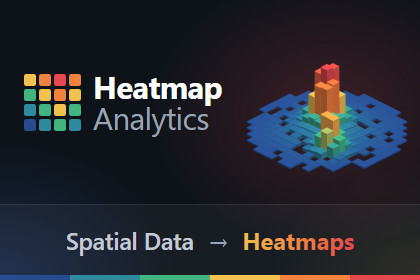
HeatmapAnalytics shows you where events cluster in your levels, and which areas nobody reaches. Record player deaths, item pickups, or any event you define, and see them as a heatmap on in your level.See where events cluster in your levels. Heatmap Analytics saves the position of every event your game reports, and draws them as a heatmap on top of your level in the Scene view. Areas with many events stand out, and areas nobody reaches stay empty.Why use Heatmap AnalyticsPositions in a log file or a spreadsheet are hard to read. A list of coordinates does not show where events pile up, or which areas of a level nobody reaches. A heatmap on your own level shows this right away, so you know where to look and what to change.Private by designEverything runs on your computer and your own network. Events are not sent to any other service.How it worksRecord. Add one line of code wherever something happens in your game. The event is saved with the position where it happened.Play. Play in the Editor, or run test builds on your network. The events go straight to the Editor.Render Heatmap. Choose a level and an event, and press Render Heatmap. The heatmap appears on top of your level.Documentation: https://heatmap.qinteract.com/doc/FeaturesThree ways to draw the heatmap: Grid, Spheres and Bars.Filter by event, level, game version and platform.Choose the gradient colors, or add your own.Limit the heatmap to one area of the level with a bounds box.Built-in tracking for crashes and low FPS.Playtest on your networkNo internet connection needed.A small server runs inside the Unity Editor on port 49161. There is nothing else to install.Playtest on a phone or a second PC. The events go straight to the Unity Editor, over your local network. Set your computer's IP address once in the settings asset.Events are stored on your computer, outside your project, so they are never committed to source control.RequirementsUnity 2022.3 LTS or newer, including Unity 6.Keep the project open in the Unity Editor while you playtest. The Editor stores the events.Test builds and the Editor on the same local network.Sending eventsBuilds send events over HTTP to port 49161 on the Editor's computer, at the address set in the settings asset.Events are sent in batches of 100, or every 5 seconds. Crash and low FPS events are sent right away.Each event stores the level, the game version and the platform, so you can filter by them later.Where the data is storedOne JSON file on your computer, outside your project:Windows: %LOCALAPPDATA%\HeatmapAnalytics\heatmap-analytics.jsonmacOS: ~/Library/Application Support/HeatmapAnalytics/heatmap-analytics.jsonLinux: ~/.config/HeatmapAnalytics/heatmap-analytics.jsonDelete Events in the tool window clears it.SourceFull C# source included. No DLLs and no third-party packages.LinksDocumentation: https://heatmap.qinteract.com/doc/ (the main docs)Support: contact@qinteract.com

