




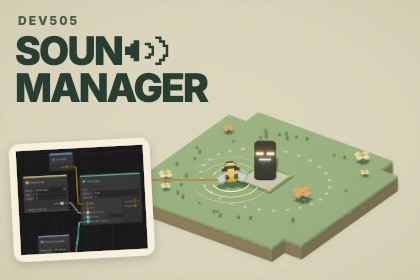
Build game audio with visual graphs. Control 2D and 3D sounds, blend layers, and create smooth music transitions. Includes 49 nodes, 10 demos, and clear C# examples.Sound Manager helps you create sounds that respond to what happens in your game.Connect nodes in a visual graph to decide which sound plays, when it starts, and how it changes. Make footsteps match the ground, an engine respond to acceleration, or a campfire play its ignition, crackling loop, and ending through one reusable sound event.Build and preview your sound graphs inside Unity, then connect them to gameplay through the C# API or the included Sound Emitter component. Replace the clips, adjust the settings, and change the graph to suit your project.Learn through 10 playable demosEach demo includes example graphs and scripts showing a practical use:Campfire: Combine a starting sound, a continuous loop, and a natural ending.Footstep: Choose grass, stone, or wood sounds, with varied footsteps trimmed from longer recordings.Bee: Follow a moving object with 3D sound that changes with direction and distance.Engine: Blend engine layers and change their volume and pitch as the car accelerates.Weather: Layer rain and wind, then play thunder at the lightning strike after a short delay.Workshop: Switch between tools, control their pace, and play a hammer tap over another tool.Arcade: Limit overlapping sounds and decide which requests play, replace an older sound, or wait for a cooldown.Jukebox: Fade one music track out while the next fades in.Portals: Decide whether a sound stops or finishes at its last position when its owner disappears.Launch: Use conditions, a countdown, and sound completion to coordinate a rocket launch.A guided setup window, PDF quick start, node reference, and C# examples help you get started. Full source code is included.Read the full documentation and explore the demosVisual graph editor: 49 nodes covering playback, clip selection, parameters, calculations, conditions, and timing.2D and 3D audio: Play sounds without a world position, at a fixed position, or following a moving object.Loops and fades: Build continuous sounds, fade them in or out, and overlap layers or music tracks.Clip trimming: Select a section of a recording using the waveform preview without editing the original audio file.Sound variation: Randomly select clips, avoid consecutive repeats, and vary playback settings.Live parameters: Use float, integer, boolean, and audio asset parameters. Smooth float changes and shape values with curves.Playback logic: Use delays, branches, ordered commands, repeats, counters, and conditions to control what happens next.Gameplay interaction: Send signals into a running graph and respond when sounds finish.Individual playback control: Stop, pause, or update a specific sound independently.Sound ownership: Choose whether sounds stop or continue at their last position when their owning object disappears.Playback limits: Configure overlapping sound limits, cooldowns, priorities, and replacement rules.AudioSource pooling: Reuse a configurable pool of audio sources.Mixer support: Route playback to Unity Audio Mixer groups.C# integration: Play sounds through generated keys, string keys, or asset references.Component integration: Trigger sounds through the Sound Emitter component, UnityEvents, and animation events.Editor tools: Preview graphs, see active connections, organize nodes with groups and notes, and check graphs for errors.Included resources: 10 playable demo scenes, example graphs and scripts, full source code, a PDF quick start, and online documentation.Unity requirementsThe included graph editor requires Unity 6000.6.0f1 and its built-in Graph Toolkit module. The demo scenes use the Universal Render Pipeline (URP) and Input System.AI tools were used to generate all audio included in the demo scenes, including sound effects, ambience, and music. These audio assets demonstrate Sound Manager’s features and can be replaced with your own recordings.

