




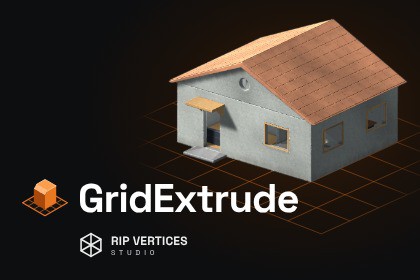
GridExtrude – Grid Modeling & PBR Finishing
Rip Vertices Studio
$21.99
$43.99
50%OFF
(no ratings)
Jump AssetStore
Draw on a grid, extrude and cut, bevel real edges, then finish with 61 PBR materials, UVs and wear.GridExtrude turns the Scene view into a fast, grid-based modeler: paint a grid on any face or on the floor, drag out a shape, and push-pull it into a solid. Then bevel real edges, apply realistic materials, unwrap, add wear and export a finished asset without leaving Unity.MODEL ON A GRIDPaint a working grid on any mesh face or the floor, inclined at 45° on edges, then rotate or move it with gizmos.Rectangle, circle, polygon and rounded shapes. Ctrl adds regions, Shift cuts holes, up to 32 regions per area.Push-pull extrusion: pull out to add, push in to cut. Separate Cut, Extrude, New Solid and Split.2D corner bevel (round or chamfer), on-grid point editing, and Mirror with an adjustable plane.Array: row, matrix (up to 256 copies) or ring.Angled extrusions and entry profiles: draft, chamfer, round and stepped openings.Clickable dimensions, numeric input and snapping to grid and geometry.EDIT AND COMBINEBoolean union, difference and intersect, with sources you can still move, rotate and rebuild.Edit Model: move corners, edges and faces, or tilt a face on a hinge.Flip X/Y/Z and Flip faces (inside out) for rooms and interiors.Full Undo/Redo. The model rebuilds from its recipe, so nothing is destructive.REAL EDGE BEVELSCtrl + drag on any edge: chamfer, slanted chamfer or round, with live preview.Pick several edges or all sharp edges at once; Clamp Width keeps neighbours from colliding.The bevel changes geometry, silhouette and collider. A separate visual bevel adds soft highlights and edge wear.MATERIALS, UVS AND WEAR61 procedural PBR recipes: concrete, metals, paints, plaster, marble, wood, brick, blocks, paving, cobblestone, stone, roof tiles, slate, parquet, siding, tiles, corrugated metal and more.Paint different materials on individual faces; outside and cut surfaces can use different materials.Texture size, rotation and offset, with continuous mapping on curved walls.Auto Unwrap, a built-in UV island editor (move, rotate, scale, vertices, checker) and Bake unique textures.Wear & Tear layers: dirt, edge wear and damage, procedural or brush-painted.8 complete finish presets; save your own.FINISHED ASSETSBuild a static finished copy with baked PBR maps, one shared atlas or source slots.Save as prefab or export GLB, with collider type and pivot options.The editable source stays in your scene for later changes.INCLUDEDA 28-page illustrated PDF manual.A single, clearly organised Editor Tools panel with a shortcut reference and a pie menu.DOCUMENTATIONUnity 2022.3 LTS and Unity 6. Tested on 2022.3.62f3 and 6000.5.6f1 (Windows).Render pipelines: Built-in, URP and HDRP, with pipeline-specific materials and an adapter for the demo.Editor tool: modeling, finishing and baking run in the Editor. Results are standard Unity meshes, materials and prefabs.Export: Prefab and static PBR GLB (alpha mode, cutoff, double-sided). No FBX export.Limits: 32 regions per selection, 256 array instances, 128 bevel edge chains per pass, 500,000 vertices per result.Generated textures up to 4096 px; procedural material maps are created on first use.Everything lives in one folder (Assets/GridExtrude); generated output goes to Assets/GridForgeOutput.Full Undo/Redo, rebindable shortcuts (Edit › Shortcuts › GridExtrude).Documentation: PDF user manual and release notes.DOCUMENTATIONAI used as support in code writing.

