




ModuForge — Modular Customization System
FGenius Dev
$42.34
$60.49
30%OFF
(no ratings)
Jump AssetStore
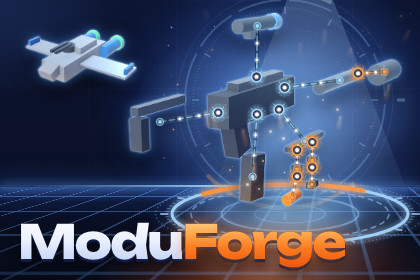
Snap parts into sockets, nest them, score every build with stats and rules, and save it. A no-code editor and runtime API for weapons, vehicles, ships and configurators.Build an object out of parts, by slot, in the editor and at run time.Define the mounting points on a body, fill a catalog with parts, and ModuForge assembles, validates, scores and saves every configuration: weapons with attachments, vehicles, spaceships, machines, or a product configurator that is not a game at all. (The editor calls the mounting points slots; the API calls them sockets.)One window, no code The Assembly Editor builds and authors in the same place. Click the model to place slots, drag parts onto them, and edit every slot, part, stat, rule and condition in a details panel, with one Ctrl+Z history for all of it. Parts that do not fit are greyed out, with the reason in their tooltip, and hovering a part shows what it would do to every stat before you commit.Nesting that actually nests A part carries its own sockets, so a rail takes a mount and the mount takes a light, as deep as you allow. A socket can also be a rail: the part slides along it and the position is saved with the build.Stats you can trust A fixed pipeline (base, add, multiply, override, clamp) with a total order, so the same build always gives the same numbers, whatever order it was assembled in. Every number lists where it came from.Rules with readable messages Required slots, single-use categories, budgets, limits, parts that need or exclude each other, and install conditions such as a parent tag, a minimum stat or an unlock flag. Messages are written for players, so your game can show them as they are. Write your own rule, condition or stat modifier in C# and it appears in the editor's menus.Saves that survive your content Every asset carries a stable id, so renaming or moving a part never breaks a player's saved build. Builds save to small, readable JSON through PlayerPrefs, files, or your own storage.IncludedAssembly Editor window, custom inspectors, scene handles for placing sockets on prefabsCatalog validator (also runnable from the command line for CI)Runtime API: Assembler, AssemblyInstance, AssemblyView component, events, pooling, tinting through MaterialPropertyBlock, reversible static mesh mergingThree demo scenes with a shared runtime UI: a rifle with nested rails, a car with colors and category limits, a spaceship with budgets and unlocksStarter content generator: one menu item writes a small working weapon catalog (nested slots, a rail, add, multiply and clamp stats, an install condition, a weight budget, a recolorable part); the three demos cover the restDocumentation: README, QuickStart with screenshots, full API reference, changelog, upgrade guideRequirementsUnity 6000.5 (Unity 6.5) or newerURP. The built-in pipeline also works; its demo materials are converted with one menu item.No dependencies. The demo scenes use uGUI (included in Unity's project templates).What it does not do No skeleton retargeting or skinned mesh merging (a socket can follow a bone by name), no procedural build generation, no network synchronization (a build serializes to JSON for your netcode to send), no node-based rule editor, no integration with specific vehicle or weapon controllers.About the images: the 3D objects are renders from the Unity Editor and the windows are Unity Editor screenshots of the included demo content. The backgrounds, lighting effects, socket markers, callouts, captions and the icon were drawn in HTML and CSS.FeaturesNo-code Assembly Editor: click-to-place slots, drag and drop, gizmos, one undo historyNested sockets and sliding railsDeterministic stat pipeline: base, add, multiply, override, clamp, with sourcesRules and install conditions with player-facing messages; extensible in C#Save and load as JSON through PlayerPrefs, files or a custom IStorage; stable ids survive renamesInstance pooling, MaterialPropertyBlock tinting, reversible static mesh mergingCatalog validator, also from the command lineThree demo scenes with runtime UI, starter content generatorFull C# source, XML documentation on every public memberSupported OSEditor: any OS supported by Unity 6.5 (developed and tested on Linux)Runtime: all Unity platforms, WebGL and mobile included. Pure C#, no native code, no threads. Tested player builds: Linux, WebGL.Link to documentationIncluded in the package: Assets/Fkgen/ModuForge/Documentation (README, QuickStart, API, CHANGELOG, Upgrade)AI tools were used to assist with writing parts of the source code, automated tests, documentation, and store descriptions.All AI-assisted content was reviewed, integrated, and tested by the developer. No generative AI was used for images, 3D models, textures, or audio.The package contains no AI features and does not call or require any AI/ML services at runtime.

