






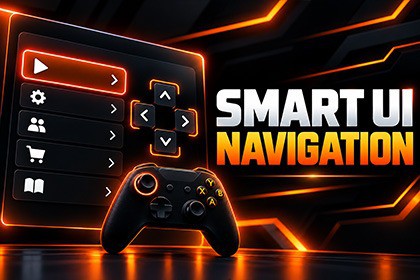
Reliable uGUI focus and navigation for keyboard, gamepad, mouse, and touch, with focus recovery, remembered selection, modal restoration, smart navigation, and dynamic UI support.Requires:uGUI + Unity Input System (New) + InputSystemUIInputModuleValidated:Windows x64 + Android ARM64Supported:Unity 2022.3 LTS & Unity 6Platforms: Windows • macOS • Linux • iOS • Android • WebGLInput: Keyboard • Gamepad • Mouse • TouchPipelines: Built-in • URP • HDRPNot supported:UI Toolkit • Legacy Input ManagerReliable focus. Smarter navigation. Keep your existing Unity uGUI workflow.Smart UI Focus & Navigation adds reliable focus management and directional navigation to existing uGUI menus without replacing your UI system.Built for the Unity Input System, it supports keyboard, gamepad, mouse, and touch workflows across menus, popups, irregular layouts, and dynamically changing UI.Reliable Focus ManagementRecover focus when the selected control becomes inactive, disabled, or non-interactable.Define default selections for menus and panels.Remember the last valid selection per focus scope.Restore the previous control after closing a modal or popup.Smarter Directional NavigationGenerate deterministic Up, Down, Left, and Right navigation for uGUI Selectables.Handle irregular layouts and ragged grids more predictably.Use Freeform, Vertical List, Horizontal List, and Grid topology constraints.Override individual directions with Auto, None, or Explicit targets.Built for Dynamic UIRebuild navigation when controls are added, removed, reordered, enabled, disabled, or repositioned.Support runtime-generated menus and changing layouts.Keep navigation usable as your UI structure changes.Multi-Input ReadyKeyboard, gamepad/controller, mouse, and touch are supported. Input-mode detection can distinguish between mouse, keyboard, and gamepad UI activity.Smart UI Focus & Navigation works with Unity's existing EventSystem and InputSystemUIInputModule, so you can keep using your current Buttons, Toggles, Selectables, menus, and panels.It adds focus and navigation behavior on top of your existing uGUI workflow rather than replacing it with a new UI framework.IncludedPolished sample sceneSample Input System configurationOffline PDF documentationComplete online documentationExamples for focus recovery, modal restoration, smart navigation, dynamic UI, and navigation overridesAdd reliable focus and directional navigation to your existing uGUI project without rebuilding your UI from scratch.FeaturesAutomatic focus recovery for inactive, disabled, or non-interactable selectionsConfigurable default focus per scopeRemembered selection per focus scopeModal push/pop focus restorationMouse, keyboard, and gamepad input-mode detectionKeyboard, gamepad/controller, mouse, and touch-ready workflowsBounds-aware directional navigationFreeform, Vertical List, Horizontal List, and Grid topology constraintsAuto, None, and Explicit per-direction navigation overridesAutomatic and manual navigation rebuilding for dynamic UISupport for runtime-added, removed, reordered, enabled, disabled, and repositioned controlsIncluded sample scene and Input System configurationRequirementsUnity 2022.3 LTS or Unity 6Unity UI / uGUI (com.unity.ugui)Unity Input System (com.unity.inputsystem)Active EventSystem using InputSystemUIInputModuleNot currently supportedLegacy Input Manager / StandaloneInputModuleUI ToolkitRender PipelinesBuilt-in Render PipelineUniversal Render Pipeline (URP)High Definition Render Pipeline (HDRP)Supported PlatformsWindowsmacOSLinuxiOSAndroidWebGLValidated BuildsWindows x64 PlayerAndroid IL2CPP ARM64Android real-device runtime and touch inputWindows and Android are the platforms explicitly validated with player/device testing.Documentationhttps://levelargento.com/docs/smart-ui-focus-navigation/Supportsupport@levelargento.comAI-assisted tools were used only for code review, testing, and validation. The product was designed, developed, and implemented by LevelArgento.

