






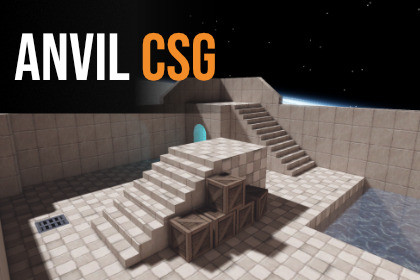
Anvil CSG is a four-view brush level editor for Unity 6. Fast CSG tools, editable maps, optimized builds with occlusion culling, BSP lightmap UVs, Bakery and Amplify Shader Editor support.Build complete brush-based levels without leaving Unity. Anvil CSG brings the familiar workflow of classic editors such as Hammer and TrenchBroom directly into the Unity Editor, with dedicated top, front, side and perspective views.Create rooms, corridors, stairs, arches and complete environments using editable brushes. Work by brush, face, edge or vertex. Cut openings with Clip and Carve, break walls apart with Cell Fracture, paint materials directly onto surfaces and adjust texture alignment without returning to a 3D modelling application.Your source map always remains editable. Build Map creates a separate optimized version containing merged render meshes, collision, decals, UV2 and supported probe data. Change the original map and rebuild it whenever needed. Built maps can also be placed in other scenes.Level Optimization cuts triangles, batches and colliders automatically. It merges brushes and flat faces, simplifies collision, can remove faces the player never sees, bakes occlusion culling and uses GPU instancing for repeated prefabs. Prefer to optimize by hand? Per-brush Unity layers and the Keep Separate, Never Remove Faces and Non Static flags give you full control.Decals follow the surface, wrap around corners and curves, and can be placed with a live preview, sized by dragging and slid across walls.Test Physics lets you drop, push and throw objects in their own physics scene, then apply the result to your level.Anvil does not lock your project into one material or lighting workflow. Regular Unity materials and materials created with Amplify Shader Editor can be painted onto brushes and preserved in the generated map.For Unity lighting, Anvil includes its own BSP-style UV2 unwrap designed specifically for architectural brush geometry, with consistent texel density and fewer wasted lightmap charts, even on curved and edited brushes. Xatlas, Unity Default and Unity XAtlas workflows are also available, and prefabs get their own lightmap settings.Bakery is fully supported when installed. Anvil can prepare the generated map for Bakery, use Bakery UV generation and work with Bakery lights, sky lighting and its lightmap workflow.Check Map finds geometry, material, UV and build problems before the final map is generated. Safe repairs and Recovery snapshots help protect the editable map while working on larger projects.Built for large maps: thousands of brushes stay smooth to select, move, copy and paste.Anvil CSG is suitable for FPS levels, immersive sims, dungeon crawlers, arenas and other projects built around architectural environments.Supports Unity 6.0 to 6.7, Built-in Render Pipeline and Universal Render Pipeline. HDRP is not currently supported.Special thanks to the Anvil CSG beta testers who helped shape this release by reporting bugs, testing workflows and suggesting improvements: Bytefennec, Cocobear, KeithG, MCL15, PapaFrank, Alex, Andre Blunt, BlakVice, Eric, Gzke, Huitistbro, JustinM, King Lmao, Port and Zorro.DocumentationDiscordLevel EditingFour-view workspace with Top, Front, Side and Perspective viewsConvex brush modelling with configurable grid snapping and Smooth SnapBox, wedge, cylinder, spike, arch, door arch, arc, curved hallway and stair primitivesFace, edge and vertex selection and editingClip, Carve, Hollow, Bevel, Curvature, Array and Cell Fracture toolsBrush grouping with nested groups, Build Sections, View Filters and build flagsLocal Build Areas for working on part of a larger mapBlueprint reference images with scale calibration in orthographic viewsCopy and paste with placement preview, Paste in Place and Select SimilarConfigurable perspective and surface gridsCustomizable hotkeysMaterials and UVsPaint regular Unity Materials directly onto individual facesBox-projected texture mappingTexture scale, offset, rotation, fit and alignment controlsTexture locking while transforming geometryMaterial and UV sampling between surfacesMulti-brush and per-face UV editingAmplify Shader Editor material supportAmplify Shader Editor is an optional third-party asset and is not includedEnvironment ToolsEditable terrain with material layersDecal placement with live preview, corner wrapping and surface slidingLight creation and editingReflection-probe toolsAnvil light-probe volumesPrefab placement and generated-map supportTest Physics with a physics hand, results applied to the levelBuild and ValidationCheck Map validation with safe repair toolsRecovery snapshots for the editable source mapSeparate editable source map and generated outputLevel Optimization: merged meshes, flat-face merging, simplified and box collidersOptional hidden-face removal, occlusion culling and GPU instancingPer-brush Unity layers and Keep Separate, Never Remove Faces and Non Static flagsGenerated decals, prefabs, lighting data and supported probesGenerated maps can be loaded into other Unity scenesRebuild generated output whenever the editable source changesQuick Export to OBJ with materials and texturesLightmappingAnvil BSP UV2 unwrap designed for architectural brush geometry, including curved and edited brushesXatlas (native library included for Windows and Linux editors), Unity Default and Unity XAtlas optionsSeparate UV2 and lightmap settings for brushes and prefabsPer-face and per-brush lightmap densityConfigurable texel density, padding and lightmap page limitsUV2 validation before light bakingUnity lightmapper supportFull Bakery workflow integration when Bakery is installedBakery UV generation, lights and lighting workflow supportBakery is an optional third-party asset and is not includedCompatibilityUnity 6 support tested from Unity 6.0 through Unity 6.7Built-in Render Pipeline supportUniversal Render Pipeline supportHDRP is not currently supportedBakery support follows Bakery's own supported Unity versionsEditor-only level-design workflowGenerated maps can be included in regular Unity builds

