






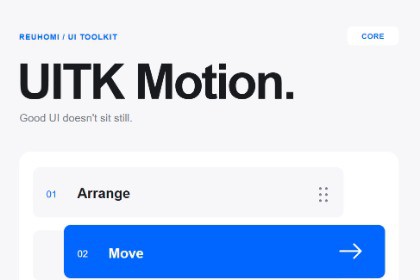
Add reordering, swipe gestures, layout motion and animated readouts to Unity UI Toolkit. Includes C# source, samples, editor tools, and English/Korean guides.UITK Motion Core animates screen-space Unity UI Toolkit elements and includes no render-pipeline-specific shaders or materials. It is designed for Built-in, URP, and HDRP projects.The package was validated on Windows with Unity 6000.0.40f1 using the Built-in Render Pipeline. URP and HDRP projects have not been separately tested. World-space UI is not included in this release.Make your existing UI feel responsive.UITK Motion Core is a C# interaction and motion library for screen-space Unity UI Toolkit menus and HUDs.Reorder inventory slots with a pointer or gamepad, swipe cards away, animate layout changes, connect cards to detail panels, and reveal dialogue with a typewriter effect.Features• ReorderableList, Drag and SwipeToDismiss• FLIP layout animation, Morph transitions, Presence exits and staggered groups• Pop, Press, Shake, Pulse, Ripple and FocusGlider• Delayed health bars, animated numbers, Typewriter, Marquee and ArcProgress• SnapCarousel, HoldToConfirm, input hints, ToastStack and ResourceFlyDesigned for your existing UIConnect effects to your VisualElements through C# extensions and controllers. Your game remains responsible for inventory data, rewards, dialogue logic, and other gameplay state.The included guides explain the required element structure, result callbacks, and controller cleanup.Included• Editable C# runtime source• Editor tuning tools• Inventory Demo and Consumer Recipes samples• English and Korean quick starts, manuals, and an HTML user guideBefore you buyRequires Unity 6000.0.40f1 or later. The primary verified environment is Windows with Unity 6000.0.40f1. C# integration is required.Screen-space UI Toolkit only. This is not a uGUI library, World Space UI system, complete UI art pack, dialogue system, or no-code animation editor.Promotional artwork, fonts, sounds, and the recording project are not included. The bundled samples use simpler UI to demonstrate the APIs.Documentation and supportOpen the included USER-GUIDE.html in your browser for English and Korean documentation.Support: reuhomi@gmail.comPlease include your Unity version, package version, and reproduction steps. Keep purchase details and private project source out of public comments.Version: 1.0.2Minimum Unity version: 6000.0.40f1Primary verified environment: Windows, Unity 6000.0.40f1UI system: Screen-space runtime UI ToolkitIntegration: C# VisualElement extensions and disposable controllersRuntime dependencies: Unity UI Toolkit; no third-party runtime packagesDocumentation: English and KoreanSamples: Inventory Demo and Consumer RecipesInteraction support:• Pointer and gamepad reordering for direct-child rows, columns, and wrapped grids• Single-pointer dragging and swipe-to-dismiss• Layout transitions, feedback effects, animated readouts, and selection widgetsLimitations:• No uGUI or World Space support• No virtualized large-list reordering• No multi-pointer gestures• Same-axis ScrollView gesture arbitration is not automatic• Gameplay data, audio, and haptic integration remain application-owned• Other platforms and Unity versions are not independently verified• Editor tuning assets do not automatically deploy all settings into runtime buildsPromotional media and the recording project are not included.OpenAI Codex assisted with C# implementation, test code, documentation, and debugging. AI-assisted code was iteratively revised through review, compilation, and automated tests. The maintainer also performed visual checks and hands-on interaction testing, including gamepad input.The package does not require an AI model, external AI service, or AI subscription at runtime.

