






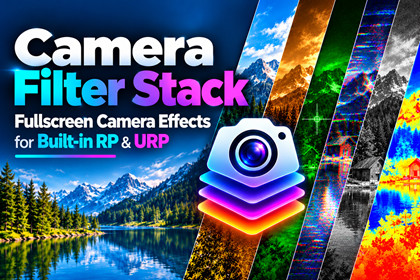
Camera Filter Stack - URP & Built-in RP
BlackBox Creations
$9.34
$18.69
50%OFF
(no ratings)
Jump AssetStore
Real-time camera filters & post effects for URP and Built-in RP. No coding.Camera Filter Pack brings 20 full-screen camera filters to Unity, running on both the Built-in Render Pipeline and the Universal Render Pipeline — the same component, the same parameters, whichever pipeline your project uses.Setup in under a minute, no shader code required:On Built-in RP: drop the CameraFilterStack component onto your camera.On URP: run Tools → Camera Filter Stack → Configure URP Features — it finds your Renderer Data asset, wires up the shader and settings asset, and reports exactly what's left to do (or confirms you're ready to press Play).Pick a filter from the dropdown, drag the Intensity slider, done.Every filter shares the same Intensity slider: 0 disables it, 1 is the full effect, and everything in between is a true blend — so switching looks or fading an effect in and out never means re-authoring a shader. A single CameraFilterSettings asset (a ScriptableObject) holds every parameter and can be referenced from your own gameplay scripts, so swapping filters or animating intensity at runtime is one line of code — no Resources folder tricks, nothing pipeline-specific to branch on.All 20 filters, grouped by genre:Vision & atmosphere (4) — Night Vision, Thermal Vision, Underwater, VignetteRetro & glitch (5) — Scanlines/CRT, Pixelation, Posterize, Dither, GlitchColor & style (5) — Grayscale, Sepia, Invert, Duotone, Color GradingCinematic (6) — Chromatic Aberration, Gaussian Blur, Bloom, Edge Detection, Fisheye, Film GrainFilters that use tint color (Sepia, Night Vision, Thermal Vision, Underwater, Duotone) share two reusable color slots, and auto-fill a sensible starting tint the first time you select them — without ever overwriting a color you've deliberately changed.Built to survive Unity's URP upgrades, not just today's version. URP's internal render path changed twice — the classic RTHandle/Execute path (URP 12–16) and the Render Graph path (URP 17+ / Unity 6). Camera Filter Pack detects which one your project uses automatically and renders correctly on either, so upgrading your Unity version doesn't mean waiting on an asset update.⚙ Requirements: Unity 2021.3 LTS or newer. Built-in Render Pipeline (any supported Unity version) or Universal Render Pipeline 12 and up, including Unity 6 / URP 17+ Render Graph mode. The URP-specific code only compiles when URP is installed, so it adds zero overhead to Built-in-only projects.RequirementsUnity 2021.3 LTS or newer. Compatible with Built-in Render Pipeline and Universal Render Pipeline.AI tools were used to assist with development, documentation, and some visuals. The asset itself is fully tested, refined, and entirely owned by the publisher.

