






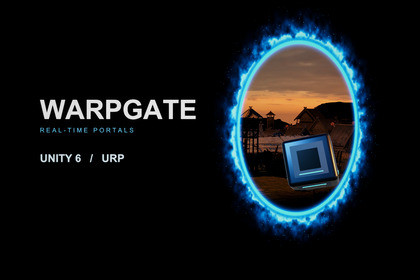
Create seamless portals in Unity 6 URP with physics, animated characters, scaling, particles and light transfer. Customize their appearance and build puzzles, gateways and connected worlds.WARPGATE is a real-time portal system for Unity 6 and the Universal Render Pipeline. Build teleportation puzzles, fantasy gateways, sci-fi laboratories and connected spaces that players can see and travel through.Send physics objects through openings while preserving momentum. Create puzzles, move portals across objects, or connect differently sized entrances to make characters and props grow or shrink. Animated characters remain visually continuous while halfway through, with their pose visible on both sides.Give every gateway its own appearance. Start with 13 included skins, then customize colours, glowing borders, distortion, particles and opening effects. Use oval, rectangular or custom outlines, and choose between a live destination view and an opaque texture.The Portals setup window brings camera configuration, linked pairs, surface placement and traveller setup together. Custom component and shader inspectors provide Simple and Advanced controls, while UnityEvents connect traversal and portal lifecycle events to your sounds, effects and gameplay.Optional sample scenes demonstrate first-person interaction, momentum puzzles, physics experiments, portal styles and light transfer. Import them to explore the system, or omit the Samples folder for a clean integration into your own project.Real-time rendering: Linked portal views with configurable recursion depth and close-range resolution controls.Physics traversal: Rigidbody support, momentum transfer, partial crossings and collision handling on both sides.Automatic physics objects: Optional layer-filtered preparation of eligible dynamic Rigidbodies near portals.Character integration: CharacterController adapter and support for animated skinned meshes during partial traversal.Scaling and moving endpoints: Size changes through differently sized pairs and traversal through moving portals.Custom shapes: Oval, rectangular and authored outlines, with matching aperture and rim collision handling.13 appearance presets: Editable fantasy and sci-fi skins with custom shader inspectors.Visual effects: Configurable distortion maps, procedural crossing waves, overlays, HDR colours, particles and opening/closing transitions.Particle traversal: Transfer particles through linked openings using the included ParticleSystem integration.Optional light transfer: Direct illumination from point and spot lights, with source occlusion, destination shadows and configurable light/hop budgets.Rendering budgets: View limits, render-target memory limits, distance-based resolution and smooth transitions to placeholders.Opaque portals: Use a custom texture instead of rendering the destination while retaining traversal.Events and APIs: UnityEvents, C# callbacks and portal-aware raycasts and shape casts.Entry assistance: Configurable forward and side ramps with layer filtering.Included samples: FPS Playground, Momentum Chamber, Physics Observatory, Skin Gallery and Light Transfer.Documentation: Setup, artist, integration, performance and troubleshooting guides.AI tools were used in two parts of this asset’s development:Rendering optimization. AI was used as a development assistant to analyze the portal rendering system and suggest efficiency improvements, including reducing redundant camera renders, improving culling, and optimizing render texture usage. Every suggested change was reviewed, tested and integrated by the publisher, and performance gains were confirmed through Unity Profiler testing.Documentation. AI was used to help organize, structure and draft the documentation, including the setup guide, API reference and usage examples. The publisher reviewed, edited and checked all documentation for accuracy against the final code.No AI-generated art, 3D models, textures, audio or other creative content is included in this asset. The core design and architecture of the portal system are the publisher’s original work.

