






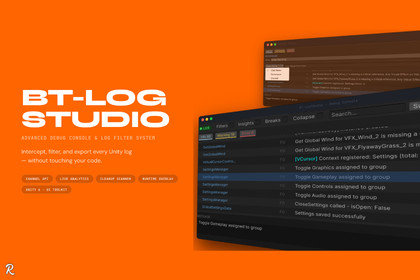
BT-LogStudio: Advanced Debug Console & Log Filter System
Barkin Tufan
$10.95
$21.89
50%OFF
(no ratings)
Jump AssetStore
Professional Debug Management for Unity. Intercept, analyze, filter, and clean up every log in your project — from editor to device — with a single polished tool.Take Full Control of Your Debug PipelineStop hunting through Unity's default Console. BT-LogStudio intercepts every Debug.Log call at the engine level and surfaces your logs in a structured, filterable, and exportable interface without touching your code or breaking the standard Console window. Built entirely with UI Toolkit for a native Unity 6 experience.Real-Time Log InterceptionNon-Destructive Proxy: Wraps Unity's ILogHandler pipeline so the original Console continues working exactly as before.Thread-Safe Buffer: A circular buffer captures every log with timestamp, frame count, and source class even from background threads.Live LIVE / OFFLINE Indicator: Instantly shows whether interception is active. No guessing.Domain Reload Safe: Automatically re-attaches after every script recompilation and Play Mode transition.Advanced Filtering and SearchType Bar: One-click Log, Warning, and Error toggles with live unfiltered counts.Three Search Modes: Substring for fast queries, Regex for precise patterns, and Fuzzy for abbreviated typing switchable without leaving the toolbar.Filter Rules: Include or exclude logs by class name, namespace, or channel. Toggle individual rules on and off without removing them.Collapse Mode: Groups identical messages into a single row with a repeat count badge just like the native Console but smarter.BTLog Channel APINamed Channels: Tag any log call with a custom channel using the drop-in BTLog class. GAMEPLAY, NETWORK, AI you define them.Deterministic Color Coding: Every channel gets a unique, consistent color in the log list. No configuration needed.Filterable: Target or suppress any channel using Filter Rules with partial or exact matching.Safe Fallback: When BT-LogStudio is not intercepting, BTLog falls back silently to standard Debug output. Safe in release builds.Log Insights PanelLive Analytics: Total count breakdown by type, error rate percentage, and log rate over the last 5 and 30 seconds.Top Sources Chart: Up to 7 source classes ranked by log count with proportional bars and percentage. Instantly spot noisy systems.Dominant Type Color: Each bar reflects the dominant log type for that class green for clean systems, red for problematic ones.Conditional Break RulesPause on Error: Automatically pauses Unity Play Mode the moment any Error, Exception, or Assert is logged.Pattern-Based Breaks: Define custom break conditions matching against the log message, source class, or namespace.Play Mode Only: Break rules are evaluated exclusively during Play Mode and have zero overhead in the editor.Pre-Release Cleanup ScannerStatic Analysis: Scans every C# file in your project and lists all Debug.Log* and BTLog.* calls with file, line, and preview.Safe Disable: Comments out selected calls with a unique marker no deletions, fully reversible at any time.Batch Operations: Disable or restore an entire script, folder, or the whole project in a single click. One recompile per batch not one per line.Restore Anytime: Re-enable disabled calls individually or all at once before your next development session.Version Control Friendly: All changes are plain text edits. The BT-LogStudio:disabled marker makes bulk reversal trivial via source control.Runtime OverlayIn-Game Panel: A full UGUI overlay that works in Play Mode and in device builds. No prefabs or external assets required.All Build Types: Not limited to Development builds. Opt in via Project Settings.Mobile and Desktop Toggle: F2 on desktop. Three-finger double-tap on mobile.Full Feature Set: Type filtering, text search, row selection, detail view, and clipboard copy all available at runtime.Professional Editor ExperienceDetail Pane: Click any log row to see the full message and stack trace with horizontal and vertical scrolling.Ctrl+C Copy: Copy any selected log's message and stack trace to the system clipboard instantly.Double-Click to Script: Jump directly to the source script in your external editor with a double-click on any log row.Right-Click Context Menu: Copy Message, Copy Stack Trace, Copy All, and Open Script right where you need them.Arrow Key Navigation: Move through the log list with the keyboard. Detail pane updates automatically.CSV and TXT Export: Export the full current buffer to a structured file for QA sessions or bug reports.Performance ControlsStack Capture Mode: Choose Always for accurate source information, ErrorsOnly to reduce overhead on high-frequency logs, or Never to eliminate call stack allocation entirely.Configurable Buffer Capacity: Cap the in-memory buffer to prevent unbounded growth during long sessions.What You GetComplete C# source code with clear documentation comments.Full PDF documentation covering every feature and setting.BT-LogStudio Editor Window, BTLog Channel API, Cleanup Scanner, and Runtime Overlay.Life time Direct developer supportPackage ContentsBT-LogStudio Editor Window (dockable, UI Toolkit)LogProxy — Unity ILogHandler interceptorLogBuffer — thread-safe circular entry bufferLogEventBus — decoupled publish/subscribe event systemBTLog — runtime channel API (Debug.Log drop-in)FilterEngine — stateless, allocation-free rule evaluatorStackTraceParser — call stack walker with configurable capture modesLogInsightsPanel — live analytics computed from buffer snapshotsBreaksPanel — conditional Play Mode pause rule managerFilterPanel — class, namespace, and channel rule managerCleanupScanner — static C# source analysis and safe disable/restore engineCleanupWindow — dedicated editor window for cleanup workflowRuntimeLogInitializer — runtime proxy bootstrapper via RuntimeInitializeOnLoadMethodLogOverlayController — UGUI runtime overlay, built entirely in codeLogStudioSettings — ScriptableObject-based persistent configurationLogStudioSettingsProvider — Project Settings integrationFull PDF documentationTechnical Feature SetILogHandler interception — non-destructive, original Console unaffectedThread-safe circular LogBuffer with configurable capacityThreadStatic channel passing — zero overhead, no allocations on the hot pathStack capture modes: Always, ErrorsOnly, Never — tunable per project needsThree search modes: Substring, Regex (compiled, cached), Fuzzy (subsequence, O(n), zero-alloc)Filter rules persisted in ScriptableObject — survive domain reload and version controlConditional break rules evaluated per-log with early exit — no overhead when not triggeredCleanup Scanner uses Regex against raw source lines with block comment trackingBatch file write with AssetDatabase.StartAssetEditing / StopAssetEditing — single recompile per batchRuntime overlay built without prefabs, USS, or external assets — pure UGUI in codeSettings exposed via SettingsProvider at Edit → Project Settings → BT-LogStudioDomain reload safe via AssemblyReloadEvents and InitializeOnLoad

