






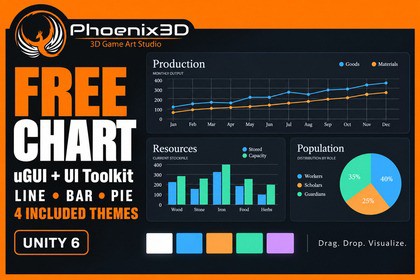
Covers 99% of game developers’ charting needs. Easy to use, with support for both uGUI and UI Toolkit, plus real-time updates in the Editor and at runtime. Best of all, it’s free! :)If you like this package, you can support us by purchasing the Plus version or leaving an honest review.This package covers 99% of game developers’ charting needs, and we’ve made it as easy to use as possible.◼ Join Our Community ◼Join our Discord, Telegram or Forum community to collaborate, innovate, and inspire!◼ Key Features ◼📊 Line, bar, and pie charts: Visualize trends, compare categories, and show proportions.↔️ Vertical and horizontal bars: Group multiple series for clear comparisons.🧩 uGUI and native UI Toolkit: Choose the UI workflow that suits your project.🚀 Easy to use: Drag and drop a prefab, then edit labels and values in the Inspector.🎨 4 included themes: Minimal Light, Minimal Dark, Transparent HUD, and Porcelain.🖌️ Customizable appearance: Create your own themes and palettes, adjust backgrounds, and assign series colors.🖱️ Interactive charts: Tooltips, hover feedback, and selection events help you connect charts to your UI.🥧 Pie percentage labels: Show percentages automatically or hide them to suit your layout.🔄 Runtime data updates: Populate and update charts through the included C# API.🎥 3 example scenes: Explore a uGUI dashboard, a native UI Toolkit dashboard, and a custom-data example.📦 Reusable prefabs: Start with a single chart or the included Canvas dashboard.📚 Documentation included: Quick-start guides, API reference, customization, and troubleshooting.✅ Unity 6: We build it with 6000.0.25f1 but it should work with older version too.💙 Free to use: No watermark, account requirement, or package-imposed point cap.◼ Contact Us ◼-If you require a custom texture map that is not included in our default pack, please feel free to contact us. We would be happy to provide you with the necessary texture.-If you need a particular texture or model for your games, we can offer it to you at the most competitive global price, or we can provide it as a package deal. Please do not hesitate to contact us for more information.Phoenix3D Support◼ Our Mission ◼Our mission is to provide game developers worldwide with high-quality assets at the most competitive prices possible, empowering them to focus on their passion for creating exceptional games.Phoenix3D.Requirements• Minimum Unity version: 6000.0.25f1 (Unity 6).• UI Toolkit and com.unity.ugui 2.0.0.• No render pipeline dependency.Included content• Line, grouped vertical/horizontal bar, and categorical pie charts.• Native ChartElement for UI Toolkit and P3DChartUGUI for Canvas.• Simple Chart Setter for Inspector-based labels, values, and multiple series.• 4 themes: Minimal Light, Minimal Dark, Transparent HUD, and Porcelain.• Single-chart and dashboard prefabs; 3 example scenes.• Tooltips, hover and selection events, pie percentages, custom themes and palettes.• C# API, quick-start guides, customization guide, and troubleshooting documentation.Input and verification• Example scenes use StandaloneInputModule: use Legacy Input or Both, or replace it with your Input System UI module.• Runtime charts accept EventSystem pointer events.• Recent dashboard/render-style checks used Unity 6000.3.8f1 on Windows. Other platforms require separate verification.• Depth and Extruded styles require the separate Plus add-on; Free includes Flat rendering.AI was used during the package development process and to generate marketing images.

