






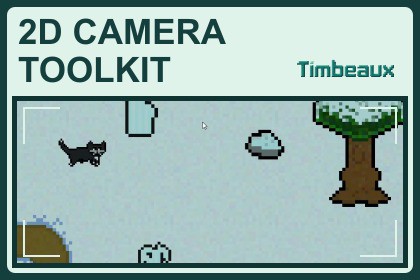
Build a responsive 2D camera with smooth player follow, room transitions and eight camera effects. Includes visual room tools, reusable profiles and a playable demo.Designed and tested with Unity 6.6 (6000.6.6f1) using URP’s 2D Renderer.The included demo uses URP 2D lighting. Tint and desaturation effects require camera post-processing and compatible URP renderer resources.No additional Asset Store purchases are required.Give your 2D game a camera that follows the action and helps important moments stand out.Timbeaux’s 2D Camera Toolkit brings camera setup, room creation and effects into one editor window. Select your scene camera and player, then click Set Up Camera System to get started.Shape your camera’s behavior with smooth following, directional look ahead, adjustable zoom, dead zones and soft zones. Create rooms by dragging directly in Scene view, resize them with corner and edge handles, and manage the rooms in your selected scene.Reusable framing profiles let different areas share settings, while individual room overrides give you control where it matters. Blend between rooms and keep the camera view within supported room boundaries.Add emphasis and atmosphere with eight camera effects: Shake, Zoom Pulse, Focus, Impact Punch, Vignette, Screen Flash, Tint/Desaturation and Letterbox. Preview effects from the Camera Tool, trigger them when entering or leaving rooms, or connect them to gameplay through UnityEvents and the public C# API.Explore the included seven-biome demo with its animated cat character, eight-stop effects tour and onscreen explanations.Works with custom player controllers through a Transform follow target. Other Timbeaux toolkits are optional.FEATURES• One-button camera setup through Tools > Timbeaux > 2D Camera Toolkit > Open Camera Tool.• Separate Setup, Create Room, Manage Existing Rooms and Effects tabs.• Smooth X/Y following, directional look ahead, orthographic zoom, dead zones and soft zones.• Scene-view room drawing, eight corner/edge resize handles, optional grid snapping and numeric placement.• Scene-specific room management with search, selection and framing.• Reusable framing profiles and individual room overrides.• Room priorities, entry confirmation, adjustable transitions and enter/exit/change events.• Rectangular camera confinement, with optional circle, rotated-box and convex-polygon confinement.• Eight effects: Shake, Zoom Pulse, Focus, Impact Punch, Vignette, Screen Flash, Tint/Desaturation and Letterbox.• Additional Pan and Snap/Reset camera actions.• Inspector controls, Play Mode previews, room-event shortcuts, UnityEvents and public C# APIs.• Optional Integer Pixel Output for compatible pixel-art setups.• Optional Timbeaux Character Controller and Dialog integrations with independent opt-outs.• Seven-biome playable sample, animated cat, eight-stop demo tour and documentation.COMPATIBILITY• Designed for 2D orthographic cameras.• Tested primary environment: Unity 6000.6.6f1, URP 17.6.0, Windows Editor and Windows player.• The included sample uses URP 2D materials.• Tint/Desaturation requires compatible URP rendering and post-processing setup.• Other Timbeaux packages are not required.LIMITATIONS• Screen overlays do not support XR or RenderTexture output.• Camera-view confinement supports the documented rectangular, circular and convex shapes; concave confinement is unsupported.• Rooms smaller than the visible camera area cannot fully contain the view.• Optional Integer Pixel Output has rendering requirements and cannot run alongside an active Unity Pixel Perfect Camera.AI is used to assist with programming tasks only, including adding tooltips to user-facing features, optimization and organization. No artwork, music, etc have been touched by AI.

