






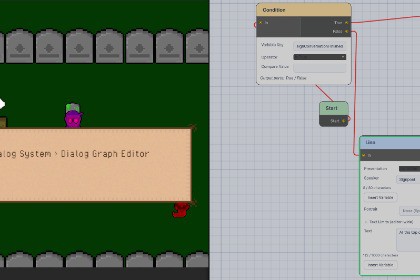
Create branching conversations for 2D games with a visual graph editor, character portraits, choices, variables, events, and customizable dialogue presentation.Bring your characters to life with Timbeaux's Dialog Studio, a dialogue toolkit for 2D or 3D RPGs, cozy adventures, and story-driven games.Build conversations in a visual graph editor. Connect dialogue lines, player choices, conditions, variable changes, events, and switch branches to create conversations that respond to the player's actions.Give NPCs character portraits, remember completed conversations, and make choices available only once. Insert variables such as the player's name directly into dialogue, or emphasize important locations and items with customizable keyword styling.Customize the presentation with typewriter text, pagination, panel styling, and portraits placed inside or above the dialogue panel. Narration can appear without a speaker nameplate or portrait.Follow the included demo and comprehensive documentation to set up your first conversation, connect NPC interaction, configure player movement locking, and trigger gameplay events.Features include:Visual conversation graph editor with variable token insertion.Branching choices, conditions, events, and variable operations.Once-only choices with hidden or disabled states.Conversation completion flags for contextual responses.Character portraits and narration support.Customizable keyword color, size, outline, and glow.Runtime dialogue history and live active-node highlighting.Example NPC interaction, movement locking, and player name entry.Works alongside Timbeaux's other 2D toolkits without requiring another Timbeaux Asset Store package.Unity version tested: 6000.2.14f1.Render pipeline tested: Universal Render Pipeline (URP).Core features:ScriptableObject conversation graphs and variable definitions.Line, Choice, Set Variable, Condition, Event, and Switch nodes.Bool, Int, Float, and String variables.Variable substitution using tokens such as {playerName}.Conversation starts at the graph entry point or a specified node.Event pause/resume support and UnityEvent bindings.Once-only choice tracking and conversation completion flags.Configurable runtime dialogue history; a history viewer UI is not included.TextMeshPro dialogue with typewriter reveal, pagination, and keyword emphasis.Portrait placement inside or above the panel.Editor graph validation and active-node highlighting.Included C# source, demo scene, and integration examples.Requirements:TextMeshPro and Unity UI.NPC interaction examples use Unity's 2D physics system.Demo input uses Unity's legacy Input Manager; use Input Manager or Both for the included input examples.Documentation:Included PDF, HTML, and Markdown manual with first-time setup, conversation authoring, player/NPC configuration, customization, and scripting guidance.Platform coverage:Current verification is in the Unity Editor on Windows. Other operating systems and player builds have not yet been verified.Persistence:Dialogue state and history are held in memory. Disk saving and loading require integration with a save system.

