






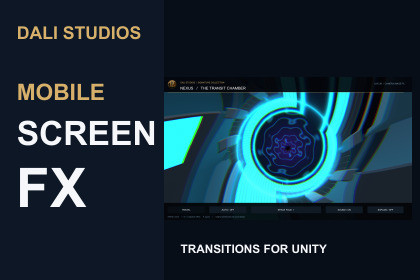
Dali Mobile Screen FX - Transitions & Camera Effects
Dali Studios
$10.99
(no ratings)
Jump AssetStore
Create impactful portals, respawns and UI transitions with 16 procedural overlays, 3 camera effects and a unified preview editor. Includes 7 demo scenes and an English PDF manual.Tested on Windows: Unity 2022.3.62f3 (Built-in/URP 14.0.12) and Unity 6000.0.32f1 (URP 17.0.3). Requires UGUI; install matching URP in URP projects. Camera effects use a Screen Space Overlay Canvas and RenderTexture. HDRP, XR, custom camera stacks and Android/iOS device performance are not validated.Bring impact and clarity to portals, respawns, UI changes and cinematic cuts.Dali Mobile Screen FX combines 16 procedural overlay styles and 3 camera-image effects in one Unity workflow. Use the Dali FX Studio window to choose an effect, preview it, adjust its settings and install it in your scene.CAMERA EFFECTS• Space Fold — spatial distortion and chromatic separation.• Glass Fracture — fragmented camera imagery with luminous seams.• Cinematic Defocus — zoom blur, desaturation and exposure controls.PROCEDURAL TRANSITIONSExplore effects including Plasma Portal, Electric Dissolve, Digital Glitch, Supernova, Ink Bloom, Vortex, Aurora Curtain and more.COVER → CHANGE → REVEALSwitch UI panels, move a character or invoke your own UnityEvent while the view is covered, then reveal the result.INCLUDED• A unified editor window with effect preview and customization.• Seven demonstration and tutorial scenes, including two cinematic 3D environments with automatic transition loops.• Four synthesized audio clips.• Reusable profiles, editable C# and shader source.• A complete English PDF manual.COMPATIBILITYVerified on Windows desktop with Unity 2022.3.62f3 using Built-in and URP 14, and Unity 6000.0.32f1 using URP 17.Requires Unity UI (UGUI). Demo controls use the legacy input system; projects using the new Input System require UI input-module configuration.HDRP, XR and performance on physical mobile devices have not been validated.This package is for Unity. An Unreal Engine version is not included.Documentation: English PDF manual included at Assets/DaliStudios/MobileScreenFX/Documentation/UserManual.pdf.Installation: Import the package, then open Tools > Dali Studios > FX Studio.Examples: Seven demonstration and tutorial scenes are included. Enter Play Mode to view the procedural environments.OpenAI Codex assisted development of the C# implementation, shader code, procedural demo geometry, audio-synthesis scripts and documentation.The four included WAV clips were produced by synthesis scripts using mathematical oscillators, noise and envelopes, without external recordings or sampled music libraries.The implementation was revised and integrated into a unified editor workflow. Validation included automated regression tests, package import checks and visual review in Unity.Promotional screenshots show actual Unity rendering and the editor interface. The Dali Studios logo and banner are publisher-supplied branding.

