






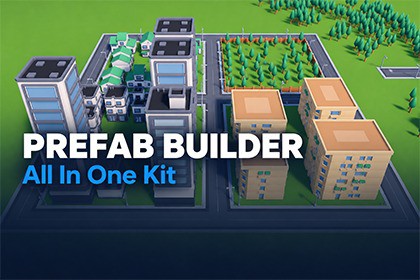
Turn any pack of prefabs into a world-building kit: snap, draw roads, scatter, fence, dress streets, settle with physics and check your scene, all from one window.Version 0.8.0: early access. Expect rough edges: tell us what you find and it gets fixed.Your asset packs are full of great pieces. The All In One Prefab Builder Kit turns any of them into a kit you can build with: fast, snapped, and without ever changing the pack's own files. Everything happens in one window with seven tabs, so you never hunt through the Project window.HOW IT WORKSAdd a pack: a folder in your project, a .unitypackage, or a .zip or folder on disk.Check one review screen. Every piece is measured and sorted for you: category, front, size, grid and floor type. Change what you like.Build. Pick a piece in the palette and click in the Scene view.ANY PACK BECOMES A KITWorks with prefabs and with raw models.The scanner sorts pieces into categories, reads their fronts and sizes, guesses the kit's grid, and flags problems: materials for another render pipeline, odd pivots, scaled roots, missing meshes.Packs at different scales? Match a new pack's size to one you already have.The pack's own files are never changed. Placeable copies are prefab variants kept in your own data folder.Scan a pack again any time: your own edits survive.Two sample kits come with it (Kenney's City Kits and Modular Buildings, CC0), made in one click, with three demo scenes.PLACEStamp: click to place. Pieces snap flush to their neighbours, line up and take the turn of what they snap to, or snap to the grid. Green fits, red overlaps. R turns, T tilts, hold either to turn freely, G straightens.Roads: drag a road and the right tiles go down: straights, corners, T-junctions, crossroads and dead ends, joined to the roads already there.Brush: paint trees, rocks and clutter by radius and density, turned and scaled at random, never on top of each other.Fill: fill an area, the outline of your selection, or the ground round it.Row and Spline: lines and curves of anything, end to end or one every few metres, with start and end caps. Splines stay editable.Erase: a circle removes kit pieces, all of them or one category.Works on terrain, on roofs and tables, on models with or without colliders, and inside Prefab Mode.DRESSStreet: furniture along every road by your rules, each kind at its own spacing and side, doorways kept clear.Closures: close a road in one drag with barriers, cones, a sign with your text and an invisible wall. Change it afterwards.Signs: your own text on any sign board, or laid flat on the ground or a wall. Font, colour, size and backing.Decals: graffiti, road markings, stains and posters on any surface.Cables: power lines, washing lines and bunting that sag between two points.Fence: drag an area or fence your selection. Corners and a gate are placed for you, and new fences meet the old ones.Vary: swap copies for lookalikes, other materials, palette colours and turns, so nothing looks copy-pasted.PHYSICSPlace: drop or throw pieces and let real physics settle them, under the mouse, over a box, along a line or round a ring.Scatter: spread, explode, heap or nudge the selection.Arrange: line, arc, circle, grid or level.Untangle: one key pushes apart pieces that are inside each other.MOVEMove, Rotate and Scale with the kit's snapping instead of Unity's handles, from an anchor you choose.Select by a box, circle or ball you draw: add, subtract or intersect.Show / Hide: hide or lock a whole category while you work.Cutaway: slice the roof or the near walls away in the Scene view and build inside. Every tool places straight through the cut.FIXSnap to the ground. Find floating and sunken objects. Remove doubles. Select similar. Randomize turn, tilt, scale and colours. Replace pieces and keep their place.CHECKClipping: find pieces that go into each other and push them apart.Validate: check the scene against your own rules: spacing, setback from the road, triangle budgets, crowded cells, mixed styles, static flags and lightmap UVs.Performance: objects, triangles, materials and shadow casters against your budgets, and the heaviest meshes one click away.Play: click a spot and Play starts there.Measure: distances, and the time to walk, run or drive them.PALETTE AND WORKFLOWEvery kit's pieces as thumbnails, with search, favourites, recent, and Quick pick to find any piece by name at the mouse.Alt-click picks up any placed piece, in any tool. Drop anything on the palette to add it to a kit.Save a few placed pieces as a set and place it as one.Re-roll (N) lays the last fill, stroke, row or spline again with a new mix.Groups and Combine: merge what you placed into a few meshes, colliders kept.Placed pieces file themselves into tidy scene folders by category.Each tool's main settings sit in a small Scene view overlay, and a first-run tour gets you started.YOUR RULES, YOUR KEYSNothing assumes a game. Categories, grids, budgets, floor types, styles, sign text and folder names are data you can change, and export as a preset to share between projects.1–9 pick tools, Shift+1–7 pick tabs, every tool can have its own key, every shortcut can be rebound, and tabs, tools and palette go in the order you drag them.Add your own tabs and tools from code, and listen for what gets placed.BUILT FOR PRODUCTIONUnity 6000.3 or newerBuilt-in and URPNo package dependenciesEditor-only tools, with tiny runtime helpersFull C# sourceOffline documentation, tooltips on every controlOne Undo step per actionWorks with Domain Reload offGOOD TO KNOW (LIMITS)It's an editor tool: it builds scenes in the Unity Editor, and adds nothing to your game at runtime beyond a few tiny helper components.Built-in and URP are tested. HDRP is not. The cutaway shows one cut at a time, and slices the Scene view only.The sample models are low-poly and small: the kit scales them when it makes the sample kits.Updating from an earlier version: delete the old product folder first, then import. Your kits and settings are kept (they live in a separate data folder).Unity: 6000.3 or newer (tested on 6000.3 and 6000.6)Render pipelines: Built-in and URP. The tools are editor-only and draw with Unity's own handles; the sample scenes take each pipeline's own terrain material.Dependencies: none (built-in modules only)Source: all C# included, in the AllInOneWorldBuilder namespaces, with their own assembly definitionsDocumentation: offline Markdown in the Documentation folderSamples: Kenney City Kits and Kenney Modular Buildings (CC0, 321 low-poly FBX models, five 512 × 512 colour maps), and three scenes: Showcase City, Try It and Demo CityMenus: Tools > All In One Prefab BuilderYour data (kits, rule sets, palettes) is kept in Assets/AllInOnePrefabBuilderData, outside the product folderCode, tests and documentation: written with AI assistance (Anthropic's Claude, via Claude Code), directed, reviewed and tested by Romano Assets.Art: no AI-generated art, models or audio are included. The sample models are Kenney's CC0 art, made by people. The sample scenes were laid out from those models by editor scripts written with the same AI assistance.Store images: the screenshots are real captures of the tools in use. Their titles, labels, arrows and backgrounds, and the cover, card, social image and icon, were made with an image-generation model (ChatGPT) from those captures; the captures themselves are not altered.

