






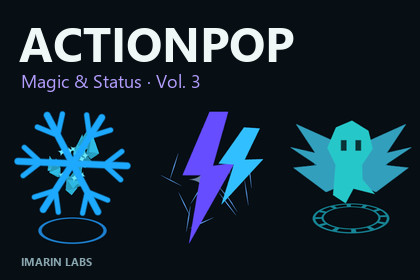
ActionPop – Stylized Gameplay VFX Pack Vol. 3
IMarin Labs
$23.09
$32.99
30%OFF
(no ratings)
Jump AssetStore
25 stylized magic and status effects: elemental bursts, buffs, debuffs, area cues and summons. Editable Particle System prefabs and seven demo scenes in a standalone volume.Windows/DX11/Linear tested: 2022.3.0f1 Built-in + URP 14.0.7; 2022.3.62f3 HDRP 14.0.12; 6000.3.18f1 URP 17.3.0. For HDRP run Tools > ActionPop Vol. 3 > Configure Materials for Active Pipeline. See the offline guide. Other versions/platforms and URP 2D Renderer are unverified.✨ Give abilities and state changes a recognizable visual language. ActionPop Vol. 3 brings distinct symbols and staged motion to magic: branching lightning, curling embers, protective shields, poison marks, runic circles and spirit arrivals. Use a short visual cue to show that an ability fired, a state changed or a summoned presence appeared.🎮 25 distinct effects, five focused categoriesElementalEmberWisp — Curling flameFrostSigil — Snowflake and crystalsStormFork — Forked lightningTidalCrescent — Crossing water crescentsTerraThorn — Rising stone thornsBuffAegisBloom — Unfolding shieldHasteWings — Speed feather fansFocusHalo — Closing reticleRegrowthPulse — Sprout and rising petalsArcaneCharge — Draw-in diamondDebuffVenomBrand — Poison dropletSilenceSeal — Struck sound glyphSlowFall — Hourglass and sinking motesHexSnare — Binding runeArmorFray — Split shield and fragmentsAreaRuneSanctuary — Rotating runic circleEmberCircle — Flame perimeterFrostField — Crystal fieldStormCell — Electric perimeterMiasmaWell — Inward poison poolSummonAstralGate — Rune apertureFamiliarArrival — Spirit arrival silhouetteTotemAwaken — Rising obeliskSpiritRelease — Ascending spiritBanishSpiral — Collapsing runeShape the response to your gameEdit the Unity Particle System prefabs in the Inspector: adjust colors, timing, scale and particle density, then trigger them from your own events. Short flashes, readable symbols, directional strokes and staged bursts give each action a recognizable response. These are scene effects built with standard Particle Systems; VFX Graph is not required.Browse, replay and compareSeven demo scenes organize the pack: one full gallery, five category browsers and one minimal playback example. Gallery controls let you replay effects, orbit the camera, switch dark/pale backgrounds and adjust playback size and speed. Offline guides and an optional playback helper support integration. Documentation and the demo interface are in English.A standalone volume in the ActionPop seriesUse this volume on its own; another ActionPop purchase is not required. Vol. 1 focuses on everyday rewards and interactions, Vol. 2 on combat and movement, and Vol. 3 on magic and status cues. Choose the event types your project needs; recolors, scale variants and pipeline adapters are not counted as extra effects.Pipeline setupThe supplied unlit shader serves Built-in and URP, with a separate optional HDRP adapter. Configure the materials with Tools > ActionPop Vol. 3 > Configure Materials for Active Pipeline. Setup changes this volume’s materials; it does not install render pipelines or replace project settings. See Technical details for the exact tested configurations.What your game suppliesThese are short visual cues, not gameplay systems. Audio, character controllers, damage or status logic, projectile logic, persistent looping auras, lasting area logic and creature summoning systems are not included. Your code supplies the event and manages each instance’s lifetime. Playback does not automatically destroy the instance or return it to a pool.Support: contact@imarinlabs.com | https://imarinlabs.com/contact/⚙️ CONTENT25 distinct effect prefabs in five categories, five effects per category.7 demo scenes: full gallery, five category browsers and one minimal playback example.Product folder: Assets/ActionPopVol3. C# namespace: ActionPop.Vol3.RESOURCE INVENTORY25 RGBA PNG particle masks, each 256 × 256. Mipmaps, bilinear filtering and clamp wrapping; texture Read/Write disabled.26 shared materials.2 original OBJ particle meshes: AP3_Obelisk (14 triangles), AP3_Prism (6 triangles).Mesh Read/Write stays enabled for CPU Particle System mesh rendering with the custom shader. Mesh-particle GPU instancing is disabled.PARTICLE BUDGETS4 Particle Systems per effect. Sampled peaks: 8–25 live particles and 22–144 calculated particle triangles per effect.Counts use supplied settings, fixed seeds, simulation speed 1 and 20 ms samples. They are not measured draw calls or CPU/GPU timings, and do not guarantee a frame rate or mobile performance.One-shot effects with no looping emission, particle collision, lights, trails or sub-emitters.INTEGRATIONOptional component: ActionPop.Vol3.ActionPopEffect. Public members: Play(), StopAndClear(), IsAlive (read-only property).Setup menu: Tools > ActionPop Vol. 3 > Configure Materials for Active Pipeline.Instances do not automatically destroy themselves or return to a pool. Your game controls spawning and cleanup.Custom unlit Built-in/URP base shader and optional HDRP adapter. Install the appropriate pipeline in your project before running its setup.TESTED CONFIGURATIONSUnity 2022.3.0f1 — URP 14.0.7Unity 2022.3.0f1 — Built-inUnity 2022.3.62f3 — HDRP 14.0.12Unity 6.3 (6000.3.18f1) — URP 17.3.0All listed configurations were tested on Windows / Direct3D 11 / Linear color space. Other platforms and graphics APIs are not claimed.URP 2D Renderer, mobile, WebGL, XR, consoles, macOS, Linux and editor/pipeline versions not listed above have not been verified.SCOPE AND LANGUAGENo audio, gameplay framework, persistent aura system, projectile logic or VFX Graph requirement. Store copy is localized; bundled documentation, demo interface and code identifiers are English.No depth-based soft-particle fading or screen-space distortion. Core effects do not require bloom, scene lighting or post-processing.

